


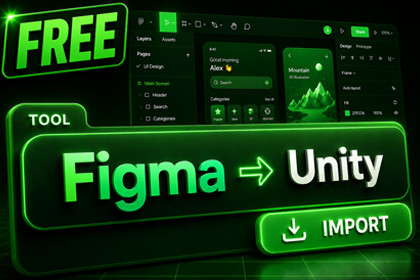
A free, simple way to get a Figma frame into Unity. Paste a URL, press Sync, and it renders as a real UGUI Canvas - layout, images, vector icons, gradients and rounded corners. One frame per import.Figma-to-Unity workflow made fast & easy. And completely free.Note: This is the Free version of the Full FigSyncBring a Figma frame into Unity without exporting PNGs or rebuilding the layout by hand. Paste a Figma URL into the FigSync Hub, press Sync, and your frame shows up as a normal UGUI Canvas you can use right away. Good for a quick screen, a menu, a prototype, or just trying the Figma-to-Unity workflow.📖 Online DocumentationComparison✅ Free — Included in this PackageOne-Click Import — Paste a Figma URL, press Sync; one top-level frame becomes a real UGUI Canvas in ~10–60s.Layout & Constraints — RectTransform layout with per-axis constraints (Min/Max/Center/Stretch/Scale) mapped to anchors, so frames reflow with canvas size.Visuals — Images & sprites, vector icons as real UGUI meshes, plus SDF gradients, rounded corners, and rect masking.Text — TextMeshPro with inline rich-text styles (bold / italic / underline / strikethrough), on Unity's default font.Out of the Box — Interactive demo, full C# source included, Built-in RP & URP, Unity 2021.3–Unity 6. No analytics, no telemetry, no third-party SDKs (only the official Figma API).🔒 Paid / Full Version OnlyScale & Re-Sync — Unlimited / batch frames, and edit-preserving re-sync (diff & merge that keeps your edits).Fonts & Effects — Automatic font matching + Google Fonts baked to TMP atlases, drop/inner shadows, and blur.Components & Auto-Layout — Button / Toggle / InputField / ScrollView, LayoutGroup auto-layout, and 9-slice.Workflow — Prefab creator, sprite/prefab reuse, code generation, and localisation (Unity Localization / I2).Live Pipeline — The bundled Figma plugin (one-click push) + FigJam, and offline ZIP import.💎 Why FigSync LITE?What it does — Reads your Figma file over the official Figma API (you paste a personal access token), and rebuilds one top-level frame as plain, native UGUI — RectTransforms, Images, text, and vector shapes.Lean Runtime — No runtime magic, no proprietary format: it's just Unity UI you can edit afterwards.Good to know — LITE keeps things deliberately simple: it imports one frame at a time and renders text in Unity's default TMP font. That's enough to get a design in and see how it converts. If you later need batch imports, edit-preserving re-sync, automatic font matching, shadows/effects, interactive components, or the companion Figma plugin, there's a paid FigSync that adds those — but you don't need it to use this.Privacy Focused — No analytics, no telemetry, no third-party SDKs — just the official Figma API and (optionally) public font CDNs.🧩 Core Features🔹 Layout & ConstraintsOne-Frame Import — Pulls one frame from a Figma URL, in about 10–60 seconds.Plain UGUI Output — RectTransform layout with per-axis constraints (Min/Max/Center/Stretch/Scale) mapped to anchors, so frames reflow with canvas size.🔹 Typography, Sprites & VectorsImages and Sprites — Pulled straight from Figma.Vector Icons — Triangulated into real UGUI meshes — crisp at any size, no blurry PNGs.Text via TextMeshPro — Includes mixed inline styles (bold / italic / underline / strikethrough).🔹 Advanced Procedural StylingProcedural SDF Styling — Rounded corners (per-corner radii + stroke) and gradients (Linear / Radial / Angular / Diamond), drawn in-shader rather than baked.Rect Masking / Clipping — Supported out of the box.🔹 RequirementsUnity 2021.3 LTS or newer (Unity 6 supported), Built-in RP or URP, and TextMeshPro and Newtonsoft Json (auto-resolved on import).📮 SupportReach out at ragendom@gmail.comWe typically respond within 24–48 hours.Figma → Unity import: Paste a file/frame URL + personal access token, press Sync; renders a real UGUI Canvas in ~10–60 seconds.Scope: One top-level frame per import.Plain UGUI output: RectTransform layout with per-axis constraints (Min/Max/Center/Stretch/Scale) mapped to anchors for canvas-size reflow.Images & sprites: Downloaded directly from Figma.Vector rendering: SVG paths triangulated into UGUI-native meshes (ear-clipping + EVENODD) — no raster fallback.Text: TextMeshProUGUI with rich-text inline styles (bold / italic / underline / strikethrough), on Unity's default TMP font.Procedural SDF styling: Rounded corners with per-corner radii + stroke, and gradients (Linear / Radial / Angular / Diamond, up to 4 stops) — drawn in-shader, not baked.Masking: Rect clipping via RectMask2D.Components created: Image, TextMeshProUGUI, RectMask2D, and vector-graphic meshes.Compatibility: Unity 2021.3 LTS – Unity 6; Built-in RP and URP.Dependencies: TextMeshPro and Newtonsoft Json (auto-resolved on import).Privacy: Zero analytics, zero telemetry, no third-party SDKs — official Figma API only.Note: A paid FigSync edition adds unlimited/batch frames, edit-preserving re-sync, font matching, effects, interactive components, the Figma plugin and FigJam — optional, not required for LITE.Claude Code was used to create scripts for the asset.

