






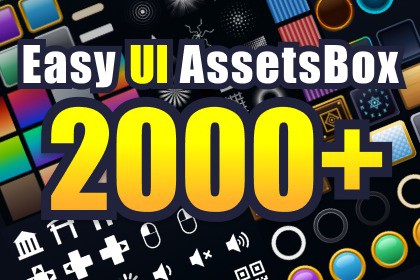
Browse, download, and import 1,800+ free UI assets from Free Game UI Assets right inside Unity. Auto TextureImporter, nine-slice borders, gradient generator, and UI shaders included.🎨 EasyUIAssetsBoxa Unity Editor extension that lets you browse the 1,600+ free UI assets published on Free Game UI Assets and import only the ones you want straight into your Unity project — entirely from inside the Editor.Open one Editor window, find the asset you want, click, done. ✨✨ WHAT IT DOES🖼️ Tile Browser — Thumbnail grid with smooth virtualized scrolling🔍 Filter & Search — by asset_type / category / tags / name⚡ One-Click Download — Auto-applied import settings + auto 9-slice borders📦 Batch Download — Multi-select, progress bar, overwrite / rename / skip🌈 Local Gradient Generator — PNG gradients generated offline from metadata🎭 UI Shaders — Outline & Gradient shaders🖼️ ASSET BROWSEROpen Tools > EasyUIAssetsBox > Asset Browser.The catalog is fetched at startup and rendered in a virtualized tile grid — scrolling stays smooth even with 1,800+ entries. Filter by type, category, or tags, and live-search by name.⚡ DOWNLOAD & IMPORTDownloaded files land in your project as proper Sprites, using the import settings you defined once in the settings asset:TextureType ・ Read/Write ・ Mipmap ・ MaxSize ・ Compression ・ Filter ・ WrapFor "button" / "panel" assets that ship nine_slice metadata, borders are written to TextureImporter.spriteBorder automatically — drag-and-drop ready for your Image components.🌈 GRADIENT GENERATORGradient assets are generated **locally** from color-stop metadata — **no CDN traffic, fully offline.** ✈️Pick resolution (128 / 256 / 512), direction (horizontal / vertical / radial), and interpolation; preview before saving as PNG.🎭 UI SHADERS (Built-In + URP + HDRP)UI_Outline — Color, width, X/Y offset (drop-shadow capable)UI_Gradient — Multi-stop linear / radial gradients with adjustable angleHelper components (UIGradientEffect, UIOutlineEffect) let you tweak effects from the Inspector, and Material configs can be saved as ScriptableObject presets.💻 REQUIREMENTS- Unity 2022.3 LTS or later- Internet connection (catalog & binaries are fetched from an external CDN)📖 DOCS & 💬 SUPPORT📖 https://yurinchi2525.com/easy-ui-assets-box💬 Discord: https://discord.gg/CM6N36MyKw✦ HOW IT WORKSThis package is a downloader / importer that fetches image assets hosted on the Free Game UI Assets servers (catalog API + CDN) and writes them into your Unity project as Sprites. No image files are bundled with this package — the catalog is fetched live the first time you open the asset browser, and individual files are downloaded only when you explicitly click on them.✦DOWNLOADED ASSET SPECS- Format* PNG (raster, RGBA, 8-bit per channel)- Resolution: 512 × 512 px — uniform across the entire catalog- Catalog size: 1,800+ entries (button / panel / icon / gradation / etc.)- Source: https://free-ui-assets.yurinchi2525.com/- SVG variants are also available on the server and can be enabled in Settings (disabled by default; UGUI Image does not render SVG natively)✦ FEATURES- Editor window: Tools > EasyUIAssetsBox > Asset Browser- Settings window: Tools > EasyUIAssetsBox > Open Settings- Browse 1,600+ UI assets in a virtualized tile grid- Filters: asset_type, category, tags, name (live search)- Single & batch download with progress reporting- Overwrite / Rename / Skip handling for existing files- Auto-applied TextureImporter settings (configurable per project)- Auto-applied nine_slice Sprite borders for button / panel assets- Local gradient PNG generator (resolution, direction, interpolation)- Material preset save / load via ScriptableObject✦ NETWORK USAGE & PRIVACYThis tool communicates with the Free Game UI Assets API and CDN to fetch the asset catalog and binaries. The infrastructure provider (Cloudflare) processes the IP address, User-Agent, request URL, and timestamp for those requests. No additional data is sent to any other third party.Full details: https://free-ui-assets.yurinchi2525.com/?view=privacy✦ SERVICE AVAILABILITYThe backend API and CDN are provided on a best-effort basis by the Free Game UI Assets operator.Reasonable advance notice will be given for major changes, but continued availability is not guaranteed.1.The assets in this package were generated using custom AI workflows and proprietary prompts specifically developed for creating game UI icons and interface elements.Following the generation process, each asset was manually reviewed, refined, and adjusted to improve visual consistency, usability, and overall quality. This included correcting shapes, enhancing details, removing artifacts, and optimizing the assets for practical use within game projects.All included sprites have been tested within Unity to verify proper import, transparency, scaling, and compatibility.The assets included in this package were created independently for general-purpose game development use and are not based on, derived from, or intended to replicate any existing copyrighted works, characters, brands, games, trademarks, or other protected intellectual property.While AI-assisted tools were used during the creation process, all assets were reviewed and refined before release to ensure quality, usability, and suitability for commercial and personal projects.2.AI coding assistants were used during the development of this package's source code, shaders, and documentation. Specifically:3.UGUI shaders (UI_Outline / UI_Gradient, Built-In RP and URP variants) were authored with assistance from the same AI tools.

