



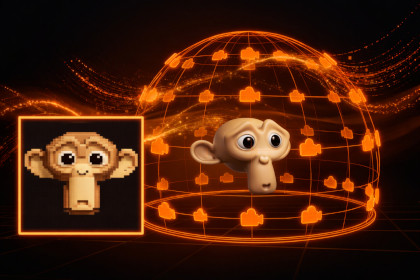
Bake perspective-correct billboard impostors from any GameObject. Supports Built-in, URP & HDRP. PBR texture baking and atlas-based batching for efficient distant LODs.Import the package that matches your pipeline: URP → URP Impostors.unitypackage; HDRP → HDRP Impostors.unitypackageImproved Impostor helps you turn complex meshes into distance-friendly impostors: the editor captures your object from many directions, packs those views into one atlas, and the included runtime shaders pick the best frame from the camera—so you get stable silhouettes and lighting far away without paying for full geometry.Why use impostors?Rendering full meshes at distance is wasteful. Impostors replace distant objects with a single quad and a smart shader, dramatically reducing draw call and polygon costs while maintaining visual quality that simple billboards can't match.HighlightsThree projection modes — upper hemisphere for ground-sitting assets, full-sphere coverage when seen from below, or bounded spherical with explicit angle ranges and sample shaping.Built-in, URP, and HDRP — pipeline-matched shader variants so you are not locked to one RP.Two bake paths for color — render through the camera for a faithful screen match, or extract PBR channels when you need separated albedo / normals / metallic / smoothness / AO / emission (where applicable).Optional depth and normals for better depth testing, parallax-style behavior, and lighting response.Camera preview to scrub every capture angle before you commit to a long bake.LOD-ready output — assign the generated material to a quad as your last LOD; optional bounds data helps culling and shadows match the object you are replacing.The typical workflow takes under a minute: Tools → Improved Impostor Baker → assign a Target with a Renderer → adjust grid, framing, and outputs → Bake Impostor. Assets are written to your output folder as textures and a material you can drop into the scene or a prefab.Unity version6000.3 or newerTool typeEditor-only — baking and UI run in the Editor.Runtime in buildsShaders and materials (and optional bounds helper) are what ship; the baker itself does not execute in builds.Render pipelinesBuilt-in, URP, HDRP — use the matching impostor shader variant for your project.Target requirementsGameObject must have at least one enabled Renderer (e.g. MeshRenderer, SkinnedMeshRenderer). LOD Groups are handled during capture so the high-detail mesh is used.Bake pipelineValidation → target/camera setup → per-angle capture → compute-shader atlas pack → save assets → cleanup.OutputsAtlas textures (albedo + optional channels), impostor material, optional {Name}_Bounds.asset and ImpostorSnapshotBounds for mesh bounds.Scene / layersUses a temporary [Impostor Bake Camera] and bake layer 31 during capture; camera is removed when the baker window closes. Layer 31 should be named where your pipeline expects it (README: optional but recommended).NotesPBR extraction expects conventional Unity PBR material properties; complex custom shaders may match better with camera capture.GPU batching and SRP compatible materialsLLMs were used for coding assistance and documentation. All output was reviewed and validated by the developer

