






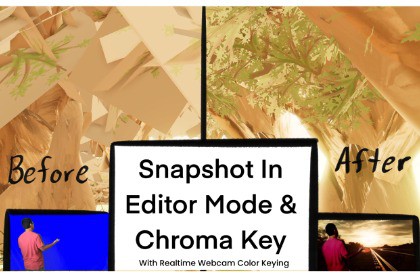
Snapshot in Editor Game View and Chroma Key Shader With Realtime Webcam Key HDRP
CodeBreakerSI
$4.99
$25.00
80%OFF
(no ratings)
Jump AssetStore
-Key Out Colors
-Take a snapshot in any resolution with/without runtime. The game view camera is used to take the snapshot. It can make 3D images 2D and be used as textures or just an image.The package can be used at variety. It can be used for video production, or game development.It can solve resolution quality by taking a snapshot of the game view resolution rather than a computer's resolution. Meaning if you want 4k quality or any other quality it can take an image with the Unity Editor's Game View Customizable Resolution.Chroma Key can be an alternative to transparency when keying out colors such as contrasting colors of tree leaves. For example: Leaves are green and background is blue. Key out the blue background it will only show the leaves similar to the viewpoint as with a transparent background.For video production, a realtime webcam scene with already set hierarchy can be used with chroma key realtime. While at it take a snapshot of the scene game view with a customizable resolution set on game view in Unity Editor.-Screenshots/Snapshots with/without runtime on Editor using Game View Camera"M" to take a snapshot.- Shader can mask out a chosen color. Can change: Brightness, Color, ColorKey, Add Base/Normal Texture, Tiling, Offset.-Webcam System while chromakeying is also included.- A basic post process for HDRP is included.I asked AI how to make a prototype for snapshots and have it work as my own (Did not work on the spot). AI was used as well for instructions on how to make the shader.

