






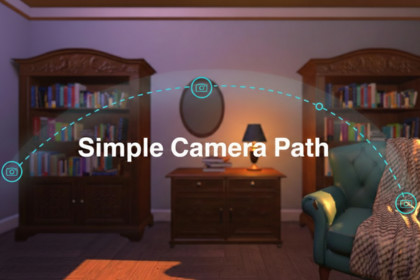
Add smooth, cinematic camera paths to any Unity scene in minutes — no Animator, no Timeline, no code required.Cinematic Path Pro is a lightweight camera path tool built for Unity developers who want professional cinematic sequences without the complexity of the Animator or Timeline.Place waypoints directly in the Scene view by dragging handles, adjust easing and field of view per waypoint, preview the full path inside the editor without entering Play mode, and wire up scene events without writing a single line of code.Built for game developers, architects, and anyone who needs a camera to move beautifully through a 3D scene.What you can do with it:Create smooth curved paths using Catmull-Rom splines, or keep it precise with linear movement. Animate field of view per waypoint for dramatic reveals. Lock the camera onto a moving target with the Look-At override while the path plays. Pause at key moments using per-waypoint stay durations. Trigger scene events — music, UI, player activation — at path start, waypoint arrival, or path completion, all from the Inspector with no code.Who it's for:Game developers building intro cutscenes, level flythroughs, or gameplay cameras. Architects and visualization artists creating walkthrough animations. Anyone who wants cinematic camera movement set up in under five minutes.Catmull-Rom spline interpolation for smooth curved pathsLinear path mode for precise straight-line movementPer-waypoint field of view animationPer-waypoint easing: Linear, Ease In, Ease Out, Ease In Out, or fully custom AnimationCurvePer-waypoint stay duration and travel durationLook-At target override with adjustable smooth speedDraggable Scene view position and rotation handles for every waypointEditor preview — animate the full path without entering Play modeSnap Camera Here and Capture from Camera buttons per waypointCapture Scene Camera Position — add a waypoint from your current Scene view angleLoop modePlay On Start toggleUnityEvents: OnPathStarted, OnPathCompleted, OnWaypointReachedRuntime scripting API: Play(), Stop(), PlayFromWaypoint(int)Works with any render pipeline: Built-in, URP, HDRPRequires Unity 2021.3 or newerZero third-party dependenciesThis package AI was used to help and to assist with writing the README documentation and store page descriptions. All has been reviewed, tested, and verified by the publisher.

