




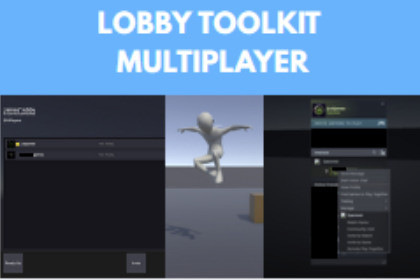
Complete multiplayer solution to bring Steamworks lobbies with Mirror Networking includes lobby browser, voice chat, reconnect, kick/ban, password-protected lobbies, loading screens, and full UIFollow SETUP_GUIDE.txt and INTEGRATION_GUIDE.txt to set up the project with Mirror networking and steamworksLobby Toolkit gives you everything you need to add online multiplayer to your Unity game. It bridges player lobbies with Mirror Networking so players can create, browse, and join games — with voice chat, reconnection, and a full pre-built UI ready to drop in.What's Included:• Lobby system — create, browse, join, and manage lobbies with metadata, distance filtering, password protection, and version matching• Voice chat — push-to-talk or always-on with spatial audio, jitter buffering, and per-player volume/mute controls• Reconnection — disconnected players can rejoin mid-game within a configurable time window with automatic slot reservation• Kick & ban — hosts can remove players with reasons; banned players are blocked from rejoining• Friends & invites — send invites, view online friends, load player avatars, and set rich presence• Full UI — lobby browser, lobby details with member list, connection overlay, loading screen, in-game HUD with voice indicator, and floating player name tags — all pre-built and ready to use• Editor tools — setup wizard that validates your project, runtime debug window with event log, and one-click example scene builder• 50+ events — lobby lifecycle, member changes, network state, scene transitions, voice, kicks, reconnections — subscribe to exactly what you need• Password-protected lobbies — SHA256-hashed passwords with optional toggle, lock icon in browser, and join prompt• Loading screen — persistent across scene transitions with minimum display time to prevent flickerBuilt on an event-driven architecture with clean separation between systems. Extend through virtual methods on LobbyNetworkRoomManager or subscribe to events from any script. The integration guide includes patterns for game modes, team assignment, map selection, and spectator mode.Requirements (all free):• Unity 6 (tested back to Unity 2021.3)• Mirror Networking 96.0.1+• Facepunch.Steamworks SDK 2.5.0• FizzyFacepunch transport v4.4Dependencies:• Mirror Networking v96+• Facepunch.Steamworks 2.5.0• FizzyFacepunch v4.4• C# 10 (csc.rsp included)Unity Compatibility:• Unity 6 (6000.x) — tested with 6000.3.10f1• Supports Unity 2021.3+• New Input System compatiblePlatform: Windows (Win64) primary. Linux and macOS supported with native library setup.Architecture:• 24 C# scripts (~6,000 LOC) across Runtime/Core, Runtime/UI, and Editor assemblies• 2 assembly definitions for clean compilation• Event-driven — 50+ static events via SteamMultiplayerEvents• Singleton managers (SteamManager, SteamLobbyManager, SteamFriendsManager)• Async/await for avatar loading and lobby operations• Thread-safe audio pipeline for voice chat (lock-based sample queue, jitter buffer)• CanvasGroup-based UI show/hide pattern• DontDestroyOnLoad persistence for managers and loading screenIncluded:• 2 example scenes (Lobby + Gameplay)• 4 prefabs (RoomPlayer, GamePlayer, PlayerNameTag, VoiceChat)• Integration guide with code examples• Setup wizard with dependency validation and fix-it buttons• Runtime debug window (lobby state, network state, event log, quick actions)• Custom inspector for SteamNetworkRoomManagerAssisting with techinical and design features such as infastructure.Claude code was used to do this.

