





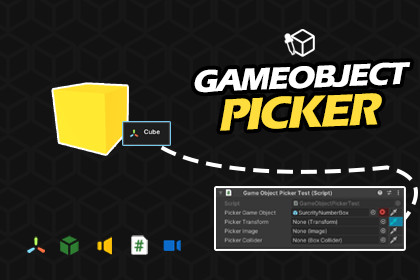
Assign references directly from Scene View! Replaces drag and drop with smart hierarchy cycling, marquee select, and auto filtering. The ultimate Unity productivity booster.GameObject Picker turns the Unity Inspector into an interactive experience. Instead of scrolling through hundreds of nested objects in your Hierarchy, you simply click the "dropper" icon on any field and pick your target directly from the scene.Smart & Context-Aware:The tool isn't just a blind selector; it understands Unity’s type system. If a field requires a Light component, it will automatically filter the scene and only allow you to pick objects that contain a Light.Who is this for?UI Developers: Navigate deep Canvas hierarchies effortlessly.Level Designers: Populate arrays and references for massive environments in seconds.Programmers: Speed up testing and reference assignment during rapid prototyping.To make it work properly in the UI, disable the 3D Icons option in the Gizmos settings.Key FeaturesGlobal Mode: Automatically adds picker buttons to every compatible field project-wide. No manual setup required.Hierarchy Cycling: Use the Mouse Wheel while hovering to cycle through parent/child objects perfect for picking a specific Button or Panel within a complex UI.Marquee Selection: Batch-assign multiple objects to Lists or Arrays by dragging a selection box (Shift + Drag) in the Scene View.Type Filtering: Automatically detects the required field type and filters out invalid targets.Quick Removal: Right-click objects directly in the Scene View to remove them from a List or Array.Attribute Support: Includes a [GameObjectPicker] attribute for explicit control when Global Mode is off.AI was used to assist in writing and formatting the technical documentation and product descriptions for clarity.

