





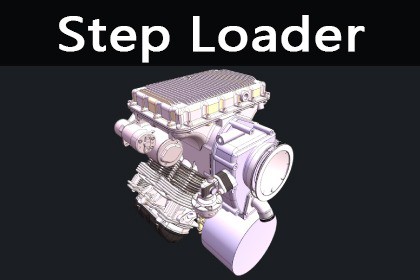
Step Loader can read STEP files directly into hierarchical GameObjects and Meshes without third-party format conversion, and supports PMI/GD&T annotated geometry.Step LoaderThe plin-in supports import of industrial 3D CAD file models at runtime and edit time.When you import a model, you can set the properties of the fineness, metal material, and physical color of the import model.Online DemoFEATURES• Direct STEP/STP Read:Parses STEP files with Open CASCADE and produces triangle meshes and assembly hierarchy• Assembly Hierarchy Preserved:Keeps CAD component tree structure, mapped to Unity GameObject parent-child hierarchy• Meshes & Materials:Auto-creates MeshFilter/MeshRenderer with multi-submesh and face/part color support• Edge Geometry:Optional boundary edge (Edges) loading for wireframe or highlight• PMI/GD&T:Supports reading and display of AP242 PMI (Product Manufacturing Information) and GD&T geometry• Units & Scale:Supports millimeter/meter; small models can use root scale (1,-1,1)• Async Loading:Async API with parsing on a background thread and construction on the main thread to avoid blocking• Editor Integration:Drop .step/.stp onto Project to import as Prefab; drop onto Hierarchy to add directly to the scene• WebGL Support:Parses STEP in the browser via steploader.wasm; supports selecting local files and loadingThe current version supports Windows 、WebGL、Mac and IOS platforms ( Android coming soon)ExplanationStep Loader is based on the CAD IMPORT V2 plugin and has undergone a major overhaul of the entire framework. It no longer uses X3D as an intermediate format. Unity directly obtains the model structure tree, model meshes, PMI, and other data from the interfaces exposed by C, greatly improving loading speed. At the same time, it also adds support for the WebGL platform, with plans to add support for Mac, iOS, and Android platforms in the future.Technical HighlightsNative C Core: STEP parsing and meshing are completed in C, interacting with Unity C# via P/Invoke, with controllable performance. Flat C API: Provides flat interfaces such as steploader_load_ex, steploader_get_mesh_ex, steploader_get_structure_tree_flat, making it easy to extend or integrate with other hosts.Unified with CADImporter Options: Uses the same set of CADImporterOptions (resolution, axis, colliders, small size thresholds, etc.), allowing for consistent project configuration.URP/Standard Compatible: Supports Universal Render Pipeline/Lit and Standard shaders, with configurable materials and colors.Usage HighlightsNo Intermediate Format: Direct STEP read; no need to export X3D or FBX first.Editor Friendly: Drag .step/.stp to Project to create Prefab; drag to Hierarchy to add to the scene.Console Logging: Outputs a STEP read summary (entity stats, units, etc.) to Unity Console for debugging and auditing.Small Model Handling: When bounding box max side is below the threshold (default 10000 mm), import in millimeters with root scale (1,-1,1) to avoid display issues.

