





KHierarchyView – Hierarchy Window Extension
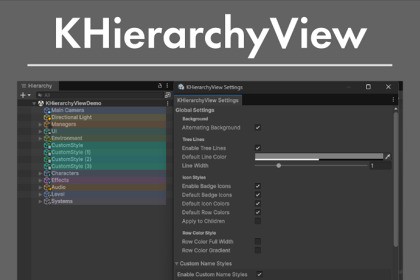
Make your Hierarchy window clearer and easier to navigate at a glance.Tree LinesVisualize GameObject parent-child relationships with tree lines. As your scene grows, it gets harder to track nested structures — tree lines make the hierarchy instantly readable.Child objects: Dotted linesLeaf objects: Solid linesCustomizable line color and thicknessSmart GameObject IconsBadge icons are automatically displayed based on GameObject names and attached components.Name-based: Player, Enemy, Canvas, Camera, Manager, and moreComponent-based: Camera, Light, AudioSource, ParticleSystem, Animator, and moreDefault StylesAutomatic color-coding based on names and components. Icon colors and row backgrounds are styled out of the box. Not a fan of a particular style? Each one can be toggled on/off individually. There's also an option to inherit colors to child objects.Custom StylesDefine your own naming patterns and automatically style any matching GameObjects.Create patterns like "Enemy," "Item," "Clone," "Trigger," etc. — any GameObject containing that text gets styled automaticallySet a custom row color and badge icon per patternOption to auto-apply to child objectsQuickly add patterns via the Option/Alt + Click popupPer-Object CustomizationOption/Alt + Click on any GameObject to configure it individually:Row background colorIcon colorTree line colorCustom badge icon (from built-in icons)"Add Custom Name Style" button to create a pattern from the GameObject's nameAlternating Row ColorsApply alternating background colors to rows for better readability in the Hierarchy.Auto CleanupCustomization data for deleted GameObjects is automatically removed.Settings WindowAccess all settings from Tools > KakoGames > KHierarchyView > Settings.RequirementsUnity 2021.3 – 6000.3.5 (tested)Windows / macOSDebugging and refactoring for portions of the codeComprehensive review of elements for completenessTranslation

