



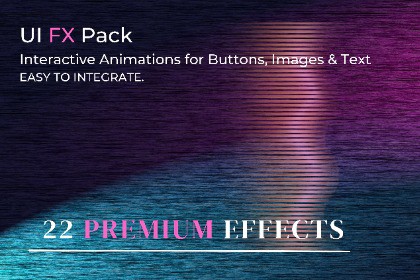
UI FX Pack – Interactive Animations for UI ELEMENTS - Beginner Friendly
Cinderella Games Eu
$16.00
(no ratings)
Jump AssetStore
A lightweight, code-driven system for adding polished interaction animations to any Unity UI element - including buttons, images, icons, and panels.
No third-party dependencies. Just drop and play.UI Interaction Effects for UnityA lightweight, code-driven system for adding polished interaction animations to any Unity UI element - including buttons, images, icons, and panels.No third-party dependencies. Just attach a script on a UI element and play! Literally 1 step to set up! Works on Any UI Element:ButtonsImagesText (UGUI & TextMeshPro)IconsPanels & containersIncluded Effects:PulseSquashJellyWobbleBreathingGlowRay of LightGradient SweepRippleLiquid FillGlitchParticle BurstBorder DrawShake WarningRoot Lift / BounceKey FeaturesTrigger-based system (Hover, Click, Press, Enable, Loop)Combine multiple effects safelyWorks without Animator or TimelineNo setup complexityOptimized for UI (no layout breaking)Easy SetupAdd effect scripts to any UI objectChoose trigger (OnClick, OnHoverEnter, etc.)Press PlayImportant NotesRequires EventSystem for interactionUI element must have Raycast Target enabledRoot movement effects should not be combined with scale effectsSupported UI elementsWorks with most Unity UI objects that use RectTransform, including:ButtonImageRawImageTextTextMeshProUGUIpanels and other UI containersUnity requirementsUnity UI (uGUI)EventSystem in scene for hover/click/press interactionsRaycast-enabled Graphic for pointer-based effectsDependenciesNo third-party packagesNo DOTweenNo TimelineNo Animator requiredArchitectureThe asset uses three effect groups.1. Transform-based effectsThese use:UIButtonAnimatorUIButtonTransformControllerThey are intended for scale/rotation-based animation and can be combined more safely.Examples:PulseSquashJellyWobbleBreathing2. Root movement effectsThese directly offset the root RectTransform and should be used as standalone movement effects.Examples:Root Hover LiftRoot BounceShake WarningThese should not be mixed with transform-controller scale effects on the same object.3. Visual overlay effectsThese create child overlay graphics and can usually be combined with either of the above.Examples:GlowRay of LightGradient SweepRippleParticle BurstLiquid FillBorder DrawGlitchTrigger systemEffects can respond to:OnEnableOnHoverEnterOnHoverExitOnPressDownOnPressUpOnClickIdleLoopManual for selected systemsInteraction handlingPointer-based effects use Unity event interfaces such as:IPointerEnterHandlerIPointerExitHandlerIPointerDownHandlerIPointerUpHandlerIPointerClickHandlerThis allows the effects to work on non-button UI elements as long as the object can receive raycasts.Layout compatibilityThe asset is designed for UI layouts, including GridLayoutGroup, with an important rule:scale/rotation/overlay effects are layout-saferoot position effects need special handling and should be used carefully on layout-controlled objectsAuto-generated visualsSome effects create helper child objects automatically, such as:glow overlaysripple overlaysgradient sweep overlaysburst roots / particlesborder linesThese are generated at runtime or on enable, depending on the effect.Common component requirementsFor transform effectsAttach:UIButtonAnimatorUIButtonTransformControllerone or more transform effectsFor visual effectsAttach:the visual effect script directlyoptionally alongside transform or root effects if visually appropriatePerformance notesLightweight C# coroutine-driven effectsSuitable for normal UI useBest used with reasonable effect counts per screenRecommended to avoid excessive stacking of multiple heavy overlay effects on many UI elements at oncethe art (the characters and the backgrounds in the game are AI generated).

