




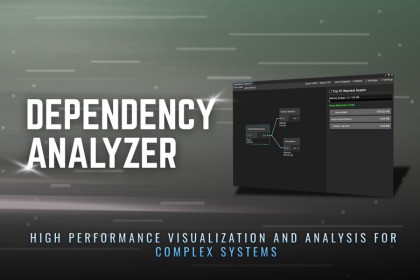
This tool provides design-time runtime impact estimation. It analyzes meshes, textures, and audio assets to estimate their projected memory usage before entering Play Mode or building the project.Scene performance issues rarely come from a single script. They come from hidden dependencies, oversized assets, and tangled prefab structures that quietly grow as your project scales.Scene Dependency Graph & Runtime Impact Analyzer gives you architectural visibility where Unity’s default tools stop. It transforms your scene into a clear, interactive dependency graph and estimates runtime memory impact before entering Play Mode or building the project.This tool is built for developers who want control, predictability, and scalable scenes—not guesswork.🧠 Visual Scene Dependency GraphMove beyond the linear Hierarchy view and see how your scene is actually connected.Node-based visualization of GameObjects, Prefabs, and ComponentsClear visual separation of reference typesClick any node to instantly locate it in Scene or Project viewContext actions for fast navigation and reference inspectionDrag & Drop any GameObject or Prefab to analyze it in isolation⚙️ Runtime Impact EstimationUnderstand asset cost early—before performance problems appear.Design-time estimation of memory usage for Meshes, Textures, and AudioClipsRecursive scanning to reveal hidden heavy dependenciesPlatform-aware analysis for Mobile, PC, and Console targetsCustom memory budgets with real-time visual feedback📊 Scene Health & Risk AnalysisGet actionable data instead of vague warnings.Top 10 Heaviest Assets list to quickly identify optimization targetsScene Risk Score (0–100) based on dependency depth and complexityIntelligent suggestions for common architectural mistakesImmediate visibility into risky scene growth patterns🔁 Circular Dependency DetectionCatch dangerous logic loops before they cause instability.Automatic detection of circular scene referencesClear visual warnings inside the dependency graphHelps prevent logic bugs, editor slowdowns, and unexpected runtime behavior🧩 Snapshot Comparison & Progress TrackingOptimization is easier when progress is measurable.Save scene analysis snapshots as JSONReload and compare past statesTrack how changes impact memory usage and structural complexity over time🛠 Automation & Professional WorkflowsBuilt to scale with real production pipelines.Export analysis data as CSV or JSONCommand-line support for CI/CD validationFail builds automatically when budgets or rules are violatedOptional auto-refresh during Play Mode for live structural tracking🚀 Why Use This Tool?Profilers show what is slow.This tool shows why your scene is heavy.Take control of your scene architecture, prevent hidden performance debt, and build cleaner, safer Unity projects with confidence.JOIN DISCORD | DOCUMENTATION | OTHER ASSETS🛠 Technical SpecificationsSupported Unity Versions: Unity 2021.3, 2022.3, 2023.x, 6000.0+ (LTS recommended)Render Pipelines: Built-in, URP, and HDRP compatible (Analysis is renderer-agnostic).Output Formats: JSON, CSV exports included.Source Code: 100% Full C# Source Code Included. No DLLs. Hackable and consistently commented.📄Online Documents This asset was developed with the assistance of AI tools during parts of the workflow.AI was used to help with code suggestions, UI text drafting, and initial design ideation. All outputs were reviewed, modified, and integrated manually to ensure correctness, performance, and usability within Unity.No AI-generated content is included as a standalone or primary component of the package. All functionality has been tested and refined by the publisher.

