






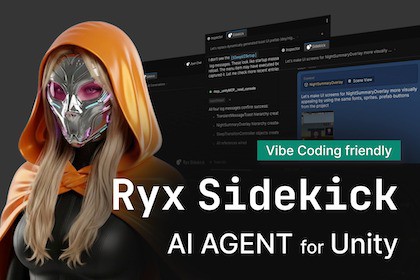
Ryx Sidekick Pro - your AI agent for Unity
Ryx Interactive
$49.99
$59.99
17%OFF
(no ratings)
Jump AssetStore
The complete Ryx Sidekick: Claude, Cursor & Codex in Unity — safe edits, deep context, Skills & live MCP, all in one package. One-time purchase. New here? Try the free Lite edition first.The complete Ryx Sidekick. Claude, Cursor, and Codex in the Unity Editor — with everything that makes Sidekick a real workflow tool: streaming chat, deep project context, safe reviewable edits, Skills, and live MCP management. One package, one-time purchase.Bring your own agents. Keep your existing subscriptions or keys — Pro never resells inference, you pay your provider directly.One download, nothing else to buy. Pro ships as a complete bundle that includes the base package — install it and you have the full product.Everything in one packageAll three providersClaude, Cursor, and OpenAI Codex — run any of them inside Unity.Switch provider per session without losing your draft or session state.Use your own subscription or keys for each; pay your provider, not us.Core workflowChat inside Unity — streaming responses, Markdown, syntax-highlighted code blocks, one-click copy.Command palette — VS Code-style slash commands, built-in actions, discovered CLI commands, and @-mention asset attachments.Rich context — attach project files (text/binary detection, truncation), GameObjects (hierarchy + components), and one-click Scene/Game View screenshots; paste or drag & drop images.Safe editing — permission modal with diff previews, permission modes (ask / plan / auto), and a Changes view with one-click revert.Conversation history — reads your CLI's native local history; the last chat is restored per project; in-flight responses survive domain reload.Auth your way — Claude.ai subscription login, Console API key, or provider routing (Bedrock / Vertex).Pro power toolsSkills — your user, project, and plugin skills as slash commands, in a dedicated palette section.Live MCP management — real-time MCP server status, tools, and resources for every provider, as a read-only inventory with secret masking.Pricing$49.99 — one-time purchase, no subscription.Own your edition forever; 1 year of updates and support included.Not sure yet? Start free with LiteWant to try before you buy? The free, open-source Sidekick Lite edition gives you the Claude provider and the full core workflow — chat, context, screenshots, safe edits, and history. Validate the workflow with your own setup, then come back for Pro to add Cursor, Codex, Skills, and live MCP management.Quick startInstall Sidekick Pro.Open Window → Ryx Sidekick.In Project Settings → Ryx Sidekick, validate the CLIs you want to use.Authenticate Claude, Cursor, and/or Codex the way you already do.Switch providers per session, run Skills from the palette, and inspect MCP live.RequirementsUnity 6.0+ (6000.x)The provider CLIs you want to use (Claude, Cursor, and/or Codex) installed separately and authenticatedInternet access for the selected provider workflowThird-party noticesAsset uses Markdig under BSD-2-Clause and Roboto Mono under SIL OFL 1.1; see the Third-Party Notices file in the package for details.Sidekick Pro is the complete edition: all three providers plus the full core workflow, shipped as a single bundle that includes the base package. One download — nothing else to install.Package id: com.ryxinteractive.sidekick.pro (ships bundled with the base com.ryxinteractive.sidekick)Price: $49.99, one-time (no subscription); 1 year of updates & support includedTry-first option: the free, open-source Sidekick Lite edition (Claude + core workflow)ProvidersClaude — Claude Code CLICursor — Cursor CLI (persistent session that keeps context across turns)Codex — OpenAI Codex CLIPer-session provider switching (preserves draft and session state)Core featuresUnity Editor window: Window → Ryx Sidekick; settings: Project Settings → Ryx Sidekick (CLI validation & configuration)Streaming chat, Markdown, command palette, and @-mention asset searchContext attachments: project files, GameObjects (hierarchy + components), Scene/Game View screenshots, clipboard, drag and dropSafe editing: permission overlay with diff previews, multiple permission modes, and a Changes view with revertConversation history, resume, and per-project session restore; domain-reload auto-resumeModel selection and extended-thinking configurationAuthentication: Claude.ai OAuth, Console API key, and Bedrock / Vertex routingPro power toolsSkills — user / project / plugin skills as slash commands (Codex skills via skills/list)Live MCP management — real-time server status, tools, and resources per provider, as a read-only inventory with secret maskingSupported platformsUnity Editor on macOS, Windows, and LinuxExternal dependenciesThe provider CLIs you intend to use (Claude / Cursor / Codex) installed separately and authenticatedOptional MCP for Unity package for deeper editor integrationDependencies in packagecom.unity.nuget.newtonsoft-json (JSON parsing)Markdig (Markdown parsing/rendering, included under ThirdParty/)Roboto Mono (font assets, included under Assets/)This package is an integration layer for AI coding agent CLIs (the Cursor and Codex CLIs in Pro, on top of the Claude provider from Sidekick Lite).AI/ML tools were used extensively during development, primarily Claude Code and Cursor assistants. Roughly half of the codebase (including significant parts of the UI Toolkit layout and styling) was drafted with AI assistance, then iterated and integrated by the authors.What AI/ML helped createUI Toolkit layout and styling drafts (UXML/USS) and UI copyC# editor tooling scaffolding and refactoring proposalsCandidate implementations for small utilities and edge-case handlingWhat the authors didDesigned the feature set and UX, selected architectures, and integrated all changes into the projectReviewed and edited AI-generated output for correctness, security, and Unity editor constraintsTested behavior in Unity and fixed issues found during manual testing and EditMode tests

