




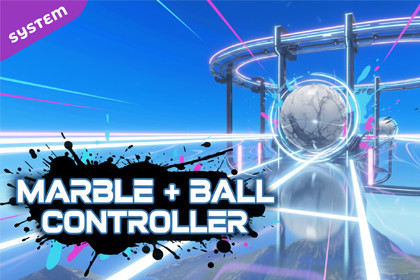
Ball & Marble Controller | Physics Ball movement System & Framework
Golem Kin Games
$25.00
(no ratings)
Jump AssetStore
Physics-based marble controller for Unity with torque-driven movement, custom gravity, dual camera modes, jump mechanics, and full keyboard, controller, and mobile touch support.Physics-Based Rolling Controller for UnityThe Ball-Marble Controller is a production-ready, physics-driven rolling ball system built for Unity. Perfect for marble games, 3D platformers, obstacle courses, and physics-focused experiences, this asset delivers responsive torque-based movement, custom gravity, flexible camera modes, and full mobile input support.Designed with clean architecture and modular components, it is easy to extend, customize, and integrate into both small prototypes and full-scale games.Core FeaturesPhysics-Based Ball MovementTorque-driven rolling using Rigidbody physicsCustom gravity with configurable strength and directionReliable jumping with SphereCast ground detectionSpeed boost and impulse force supportUncapped angular velocity for high-speed marble gameplayAdvanced Camera SystemVelocity Orbit mode that follows movement directionOver-the-Shoulder mode for stabilized third-person controlSlope-aware pitch adjustment for uphill and downhill visibilitySmooth damping and collision avoidance to prevent clippingRuntime camera mode switchingMultiple Input MethodsKeyboard and controller support using Unity Input axesMobile-ready touch and swipe input with DPI scalingCamera-relative movement calculation for intuitive controlCollision and EffectsImpact-based landing particle effectsPredictive collision handling for destructible environmentsConfigurable physics materials for friction and bounce controlClean Character ArchitectureCentral Character hub connecting all subsystemsShared CharacterComponent base class for easy accessClear separation between input, physics, camera, and effectsIncluded ContentFully configured Player prefabModular physics, input, and camera scriptsDemo scene showcasing movement, camera modes, and effectsExample physics materials and particle effectsSample audio for rolling and collision feedbackQuick SetupDrag the Player prefab into your sceneEnsure a camera is tagged as MainCameraPress Play and control the ball using WASD or touch inputNo additional setup required.Ideal ForMarble and rolling ball gamesPhysics-based platformersMobile and desktop projectsPrototypes or full commercial titlesRequirementsUnity 2021.3 LTS or newerOptional support for VoxelDestructionProSupport and UpdatesVersion 2.0.0Actively maintainedClean, documented codebaseEmail support included

