



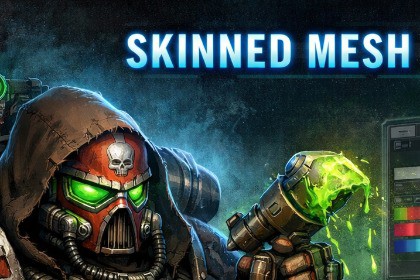
Skinned Damage Painter is a system for painting damage, decals, and impact marks directly onto skinned characters or static mesh renderers.Also compatible with 2022.3.62f3Skinned Damage Painter🔥 Key FeaturesRuntime damage painting on Skinned Mesh RenderersexplosionsImpact-driven workflowApply damage from:raycastsprojectilesmelee hitsStamp / Decal Mode – project a texture (bullet hole, blood splatter, logo) using alpha maskingTwo operating modesDamage Mode – fast circular damage accumulation (radius + intensity)Crisp, pixel-perfect small decals that remain sharp even at close rangeHigh-Quality Runtime Stamps (optional)Automatically propagates hits across multiple body parts (head, torso, arms, etc.) under the same rigMulti-part character supportClick-to-paint directly in Play Mode for rapid iteration and debuggingMouse painting test modeDamage and decals can fade out over time for improved gameplay readabilityOptional fading systemSupports Auto / UV0 / UV1 to match different character UV layoutsUV control optionsIncludes fully set up demo scenes for both pipelinesURP & HDRP compatible rendering approach📦 What’s IncludedCore Runtime ComponentsEasy, inspector-driven setup per body partSkinnedDamageReceiverRuntime rendering, projection, and stamping logicSkinnedDamagePainterExample shaders and materials used by the systemDemo ContentURP demo sceneHDRP demo sceneraycast / projectile / impact integration patternsSample scripts for:click-to-paint testing🎯 Typical Use CasesShooters – bullet holes, scorch marks, blood impactsMelee combat – scratches, bruises, slashesSurvival & exploration – dirt buildup, grime, wetness or masking effectsCharacter customization – tattoos, logos, markings applied at runtime⚙️ How It Works (High Level)Add SkinnedDamageReceiver to each skinned mesh you want to affectAssign the Skinned Mesh Renderer and a damage material or stamp textureCall ApplyHit() from your hit detection logicDamage and stamps are projected in world space, ensuring the effects naturally follow the animated skinned mesh.⚠️ Requirements & NotesCharacters must have colliders to receive raycast or projectile hits(overlapping UVs may cause mirrored effects)Works best with clean, non-overlapping UVsSensible defaults are provided for real-time gameplayPerformance scales with:damage texture resolutionnumber of active stampsAssets used in the demo video are for demonstration purposes only and are not included in the package.

