





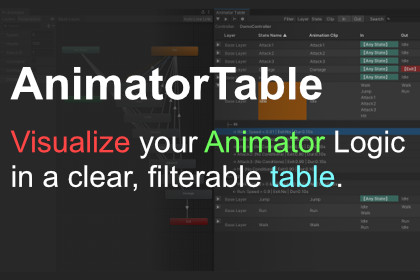
Transform complex Animator graphs into a clean Table View. Provides intuitive structural data at a glance, making visualization, management, and inspection effortless.Are you tired of untangling "spaghetti" Animator graphs?As projects grow, Animator Controllers often become a chaotic mess of nodes and transitions. AnimatorTable solves this by transforming your Animator data into a structured, easy-to-read table format.Designed for anyone who needs a direct overview, this tool helps you audit, debug, and manage your animation logic without getting lost in the visual graph.Key Features:Table Visualization: View all States, Transitions, and Parameters in a clean list view.Bi-directional Sync: Select a row in the table, and it instantly selects the corresponding node in the Animator Window (and vice versa).Inspector Integration: Simply click any item in the table to inspect and modify its properties via the standard Unity Inspector.Quick Search & Filter: Instantly find specific states or parameters by name.Optimization Ready: Quickly identify redundant states or missing transitions to optimize performance.Why AnimatorTable?Stop wasting time zooming in and out of the Animator window. Whether you are a Designer checking game flow, a Technical Artist (TA) optimizing assets, or a Programmer debugging logic, AnimatorTable provides the clarity and control you need.Features:Table View: Visualizes Animator Controller states and transitions in a structured list.Bi-directional Sync: Select a row to highlight the node in the Animator Window, and vice versa.Inspector Integration: Modify properties directly via the Unity Inspector without navigating the graph.Smart Filtering: Quickly search for states, parameters, or transitions by name.Optimization Helper: Easily spot isolated states or missing transitions.Requirements:Unity Version: Requires Unity 2022.3 LTS or higher.Dependencies: None. (No external DLLs or third-party assets required).Compatibility:Render Pipelines: Works with Built-in, URP, and HDRP (Editor-only tool).OS: Supports Windows.Usage:Accessible via menu: Tools > EzToolsLab > AnimatorTableNon-destructive: Does not modify your serialized controller data, safe to use in any project.Documentation:Offline documentation (PDF) is included in the package.AI tools assisted in the creation of code and images, which were subsequently refined manually.

