




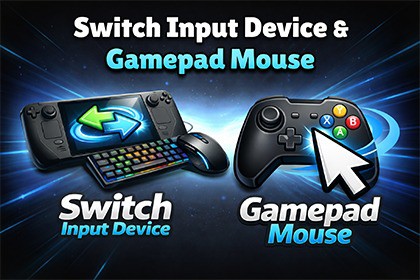
This tool is a complete input adaptation solution that allows your game to intelligently detect the active input device and dynamically update UI, gameplay elements, and cursor control in real time.Modern players constantly switch between keyboard ⌨️, mouse 🖱️, and controller 🎮.But most games don’t handle that transition smoothly.❌ UI prompts stay wrong.❌ Button icons don’t update.❌ Cursor doesn’t work properly with gamepad.❌ The experience feels unpolished.✨ This tool fixes that.✦✦ ════════════════════════════════════════ ✦✦🎮 Switch Input Device ManagerAutomatically detects the active input device and instantly updates:UI sprites (button icons)Text labels (Press E → Press X)GameObjectsNo more manual toggling. No messy logic spread across scripts.Just drag, drop, and configure.Your game instantly feels smarter, cleaner, and console-ready.Perfect for:PC + Controller hybrid gamesCross-platform titlesConsole portsSteam Deck supportGames using the new Unity Input System✦✦ ════════════════════════════════════════ ✦✦🖱 Gamepad MouseGive players full cursor control using a gamepad — just like on consoles.This tool creates a virtual cursor that works seamlessly with:Unity UI (Canvas)Buttons, Sliders, Scroll ViewsInput System ActionsSmooth movement. Adjustable sensitivity. Professional behavior.Now your menus work perfectly on controller without extra UI redesign.✦✦ ════════════════════════════════════════ ✦✦🚀 Why You Need ThisPlayers expect seamless device switching.If your game doesn’t adapt instantly, it feels unfinished.This tool:✔ Eliminates input confusion✔ Improves accessibility✔ Makes your UI feel premium✔ Reduces custom implementation time✔ Keeps your project clean and scalableInstead of spending days building and debugging input detection logic, You can set it up in minutes.Need help or want to know more?Join DiscordLooking for more High-Quality Assets?Don’t miss creations from our friends:Sculptiq StudiosARTnGameQuadArt🔧 Core FeaturesAutomatic active input device detectionSupports Keyboard, Mouse, and GamepadDynamic UI adaptation systemSprite swapping systemText swapping systemGameObject enable/disable based on deviceVirtual cursor controlled via gamepadSensitivity & speed configurationClean prefab-based setupModular architecture🎯 CompatibilityUnity (compatible with the New Input System)Works with Canvas UICompatible with PC buildsWorks great for Steam DeckEasy integration into existing projects🧩 SetupDrag and drop the Switch Input Device Manager prefab into your scene.Drag and drop the Gamepad Mouse prefab into your scene.Assign your Input Actions.Configure UI elements.Done.🧠 Designed ForIndie developersUI-heavy gamesCross-platform projectsConsole-ready buildsDevelopers who want clean architecture

