






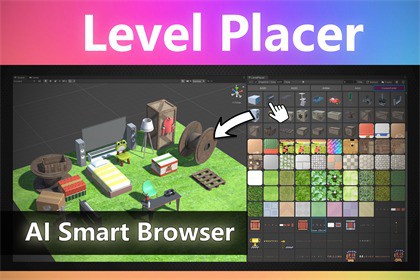
10x your level design speed! Stop digging through folders. Tell the AI what you need, find your assets instantly, and drag them directly into your scene.SupportDiscord | Discussions | Documentation | Email🌟 NEW FEATURE: AI Asset BrowserStop digging through endless folders and forgotten naming conventions.Find your assets instantly with Natural Language!The newly integrated AI Smart Browser revolutionizes your level design workflow. Instead of searching for exact file names like "Prop_Desk_Lamp_01", simply tell the AI what you need in everyday language, and it will gather the right assets for you.Supports all major AI models:GPT | Claude | Gemini | Mistral | Qwen | GLM | Kimi | Doubao🎯 The Core: The Ultimate PaletteSimply link your asset folders, and boom—all your Prefabs, Materials, and Textures are visualized in a clean, customizable dock.Preview PrefabsPreview MaterialsPreview TexturesPreview UICanvasBonus: God-Mode ShortcutsWe didn't just stop at the panel. We optimized your mouse interactions too:Ctrl + ~: Open LevelPlacer WindowCtrl + Right Click: Teleport objects to cursor.Ctrl + Middle Click: Focus on select object.Ctrl + Scroll: Rotate objects instantly.ESC: Deselect all objects instantly.(Note: You can disable these shortcuts in Settings anytime to return to your familiar workflow.)Fully 2D Ready! (New)We haven't forgotten about 2D developers. The entire workflow now supports 2D sprites and prefabs seamlessly.Ctrl + Right Click: Snap to cursor instantly.Ctrl + Middle Click: Focus on select sprite.Ctrl + Scroll: Flip Horizontally.Ctrl + Alt + Scroll: Rotate Z-axis.Unity 6 Ready (New!)Fully compatible with Unity 6. Works perfectly out of the box with the latest Unity lts version.Key Features:Boost Efficiency 10x: Eliminate folder navigation entirely.One-Click Setup: Assign folders and start building immediately.High-Res Preview: Large, clear thumbnails for all your assets.Smart Interactions: Move and rotate objects with intuitive mouse shortcuts.Fully Customizable: Tweak button colors, icon sizes, and layout to fit your style.Accelerate Your Level Design Workflow Again!❤️ Dynamic Particle Preview | VFX Browser - Real-time Effect ThumbnailsPossibly the only VFX Browser on the Asset Store that supports real-time thumbnail playback for Particle Systems and VFX Graphs.💚 Root Select Locker - Stop selecting child objects by mistakeAre you tired of accidentally selecting a door handle when you meant to move the whole house? Or dragging a child mesh instead of the character root? Root Select Locker is a lightweight, editor-only workflow tool designed to solve the most frustrating part of level design: Accidental Child Selection.🎁 A Note from the Developer:"As a developer using Unity for over a decade, I’m sure you share my frustration. We’ve all been there: scrolling through the Project Window hundreds of times a day, diving into endless folder hierarchies just to find one specific prop. And when you finally find it? The thumbnail is too tiny, too dark, or just plain wrong.It kills the creative spark. You sit down with a burst of inspiration to design a level, only to have that motivation drained by the sheer friction of the editor.I scoured the Asset Store for a solution, but I realized something frustrating: 99% of 'Level Design' tools are just Terrain Brushes or Mass Scatterers.But as actual game creators, we know that terrain is just the foundation—maybe 10% of the work. The soul of a game lies in the other 90%: the hand-placed details. The intricate decorations on a wall, the specific furniture in a room, the environmental storytelling that players actually remember.That is why I built Level Placer.It is not designed to replace your terrain spawner. It is designed to handle everything else. It brings the joy back into 'decorating' your world, letting you focus on the art, not the folder structure."Compatibility: Unity 2019, 2021, 2022, 2023, Unity 6.Render Pipeline: Compatible with Built-in, URP, and HDRP.Performance: Zero runtime overhead. The script only runs in the Editor.Source Code: Full C# source code included.I used AI as a coding assistant to help generate utility methods and assist with debugging. All final scripts have been manually reviewed, tested, and optimized by me to ensure they function correctly within Unity. No AI was used in the creation of any visual or media assets.

