






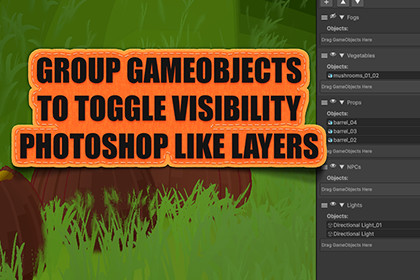
Layers of Visibility Manager helps you organize and control scene GameObjects efficiently. Group objects into layers and toggle their visibility with a single click.Simple and Intuitive Scene OrganizationWhat is Layers of Visibility Manager?Layers of Visibility Manager helps you organize and control scene GameObjects efficiently. Group objects into layers and toggle their visibility with a single click.Key FeaturesQuick Organization - Group related GameObjects into named layersInstant Visibility Control - Show/hide entire groups with one clickDrag & Drop - Reorder layers and add objects easilyScene-Based - Each scene has its own layer setupClean Interface - Minimal, focused designHow to UseOpening the WindowTools > Fables Alive Games > Layers of Visibility ManagerOr use keyboard shortcut: Ctrl+Shift+Alt+LCreating LayersClick + button to add a new layerRename the layer by clicking on its nameUse collapse/expand buttons to manage all layers at onceAdding ObjectsSelect GameObjects in HierarchyExpand the layer (click arrow)Click + Add Selected Objects buttonOr drag GameObjects directly into the layer's drop areaOrganizingDrag handle to reorder layersEye icon to show/hide all objects in layerArrow to expand/collapse layer detailsDelete button to remove layerPerfect ForManaging complex scenes with many objectsQuick prototyping and testingLevel design workflowsOrganizing UI elementsScene cleanup and optimization

