






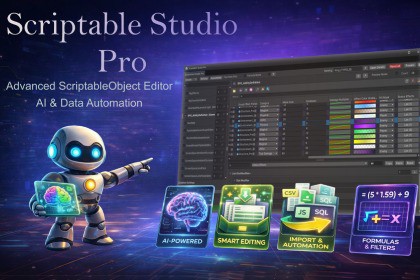
Scriptable Studio Pro is a grid-based ScriptableObject editor for Unity, enabling fast bulk editing, formulas, import/export, and optional AI-assisted data creation directly inside the EditorScriptable Studio ProThe Ultimate Data & Prefab Pipeline for Unity[ Documentation ] | [ Discord ] | [ Tutorial ]🚀 Stop fighting the Inspector. Start building your game.Scriptable Studio Pro is a professional Unity Editor tool for creating, editing, validating, and managing ScriptableObject and Prefab assets at scale. It replaces slow, click-heavy Inspector workflows with a fast, grid-based data editor designed for real production use.Whether you are balancing an RPG, managing large inventories, or maintaining thousands of content assets, Scriptable Studio Pro provides a structured, spreadsheet-style workflow that scales cleanly from early prototyping to live content updates.Designed for both professional studios and solo developers, the tool bridges external data workflows like Excel and Google Sheets with Unity's native serialization system while remaining entirely inside the Unity Editor.🌟 Core Features📝 Machine Translation & Grammar Checking (New in 4.5)Complete text quality and localization workflow integrated directly into your asset workspace.Machine Translation (MT): Bulk translate string fields and Unity LocalizedString entries across providers (DeepL, Google Cloud, Azure, LibreTranslate) with dynamic key generation and batch optimizations.Integrated Grammar Checker: Proofread and spell-check game dialogue, items, and lore fields in parallel via LanguageTool (Docker or Cloud), staging fixes with interactive diff cards.↖️Smart Drag & Drop (New in 4.5)Don't need to assighn object refrence one by one just Select multiple asset in project and drag & drop to window and chose rules and done 🤖 Prefab Studio ProIndustry-grade Prefab and component editing interface integrated directly into your workspace.Group prefabs instantly by their attached components for powerful multi-prefab inspection and manipulation.Edit nested child components across your prefabs simultaneously using the Child Hierarchy Navigator and Child Batch Mode. Wildcard paths allow mass modification of child elements globally.Safe, non-destructive variant editing powered by delta-only serialization, guaranteeing changes to nested structures or base-level prefabs propagate correctly without breaking variant links.Drag-and-drop support in the main panel for importing and grouping prefab assets instantly.🏷️ Formula & Search AliasesAccelerate your workflow by defining persistent shorthand tags for frequently used query filters and complex formula expressions.Classified into global or type-specific Search Aliases (for search bars) and FieldValue Aliases (for math/formula inputs).Features active inline autocomplete suggestions triggered by typing @ inside the input areas.🌐 First-Class Localization & AI BridgeDeep integration with Unity's Localization package, now featuring crucial updates for batch workflows:Absolute data persistence and sync for all localized field types in the batch detail panel.Deep-cloning optimizations to preserve localization table and entry references across edit states and session switches.AI Localization Bridge: A seamless utility that automatically routes AI-generated translations directly to configured String Table Collections, dynamically establishing runtime keys.📊 Grid-Based ScriptableObject EditorEdit ScriptableObjects as rows and columns instead of clicking through individual assets.View and edit hundreds or thousands of assets at once.Multi-selection editing for fast batch changes.Advanced search and filtering using logical expressions. Example: [Health] > 500 && [Type] == "Enemy"Sort by any field and reorder rows via drag and drop.🎨 Native Drawing SystemAny field type now renders correctly in the Detail Panel — no workarounds, no silent exclusions.Types with a Unity CustomPropertyDrawer are detected automatically at startup and rendered using their native drawer.Third-party framework types and any custom generic wrappers work out of the box.Register additional types in Settings › Native Drawn Types for manual control.All detection is cached at startup: zero runtime performance cost after initialization.✅ Comprehensive Data ValidationEnsure data integrity across thousands of assets before hitting play or committing to source control.Standard Rule Checks: Instantly catch missing object references (nulls), empty strings, unassigned enums, duplicate names, and out-of-bounds numeric values.Custom Rules Engine: Create project-specific validation using logical Formulas, Regex patterns, or Unique Field constraints.Smart Dashboard: Group issues by severity (Error, Warning, Info) or Type, and click any issue to immediately highlight the exact asset and field in your grid.Accessible via the 🐞 button in the main toolbar.⚗️ Dynamic Formula SystemBalance game data directly inside the editor using Excel-style formulas.Field referencing. Example: =[Level] * 100 + [BaseHealth]Built-in math functions including Lerp, Random, Clamp, Sin, Cos, Pow, and more.Context-aware functions like Prev and Next for progression curves.Live preview of calculated values before applying changes.🔄 Professional Import & ExportIntegrate smoothly with external data pipelines.Copy and paste directly between Scriptable Studio Pro and Google Sheets.Import and export CSV, JSON, SQL, and Google Sheets (URL or clipboard).Smart parsing handles nested data, lists, and Unity-specific types.Data integrity is maintained with strict validation on import.🛠️ Advanced Editing ToolsBuilt for real-world data authoring needs.Smart autocomplete for enums, references, assets, and formulas.Drill into nested classes and lists without leaving the grid.Advanced Batch Renamer: Rename hundreds of assets on disk safely with real-time previews. Use dynamic macros (e.g., Weapon_{TYPE}_{ii}), find and replace with Regex, add prefixes/suffixes, and auto-pad sequential numbers.Smart Fill: Auto-complete sequences across multiple rows — linear, random, multiplier, curve, gradient, GUID, and more. Supports all native types including unsigned primitives.Find and replace across entire datasets.📦 Addressables & Sub-Asset ManagementAddressables Assignment: Manage Addressables directly from the grid. Assign, change, or clear groups in bulk without opening individual inspectors.Sub-Asset Management: Create sub-assets directly inside parent assets. View parent and sub-assets together in a structured table. Perfect for abilities, modifiers, upgrade tiers, dialogue nodes, or nested configuration data.🧠 Optional AI-Assisted WorkflowAI Asset Architect Generate structured data suggestions based on your existing ScriptableObject schemas, analyze selected assets to match naming conventions, or refine existing content with natural language.Examples:"Balance all weapons based on rarity" "Rewrite item descriptions with a darker tone" "Generate missing enemy abilities" "Fix inconsistent naming"All AI-generated output is validated against your exact data types, including Enums, LayerMasks, AnimationCurves, Gradients, and more.Supported providers: OpenAI, Google Gemini, OpenRouter, Ollama (local models), and any OpenAI-compatible cloud AI model.🔍 AI Usage DisclosureAI features are fully optional.The core tool functions completely without AI.All AI-generated suggestions require user review before being applied.No datasets or AI services are included with the asset.Users provide their own API keys or local models.🎮 Perfect ForRPGs & Survival GamesStrategy & Simulation GamesLive-Service GamesInventory Systems & Economy BalancingDialogue, Narrative & Quest SystemsLocalization TeamsTechnical & Content DesignersGameplay Programmers🏁 Why Scriptable Studio Pro?ScriptableObjects are powerful, but the unity default Inspector workflow does not scale. Scriptable Studio Pro turns raw data editing into a structured, fast, and reliable process. It reduces friction, minimizes errors, and provides a professional data pipeline that feels closer to a database editor than a cluttered Inspector.If your project is data-heavy, this tool quickly becomes indispensable.Technical OverviewScriptable Studio Pro is an editor-only Unity tool designed to operate directly on existing ScriptableObject and Prefab assets using Unity's native serialization pipeline. It introduces a structured, data-oriented editing layer without altering your runtime architecture or requiring any changes to your existing asset or component classes.Core ArchitectureOperates entirely within the Unity Editor — no runtime code is included. Zero impact on builds or player performance.Works with existing ScriptableObject classes and Prefabs — no inheritance, base classes, or attribute requirements. Existing assets and components work immediately.Prefab Studio Pro (v4.0): Industry-grade prefab and component editing interface integrated directly into the workspace. Allows inspection and mass editing of nested child components across your prefabs simultaneously using Child Hierarchy Navigator and Child Batch Mode (with wildcard paths). Utilizes delta-only serialization to ensure changes to nested structures or base-level prefabs propagate correctly without breaking variant links.Dynamic field discovery — fields are analyzed dynamically with strict type validation to ensure data safety and consistency.Native Unity integration — fully compatible with Unity's serialization system and AssetDatabase workflows.Data Handling & Type SupportSupports all Unity-serializable data types including primitives, enums, nested classes, structs, lists, and prefab components.Machine Translation System (v4.5): Multi-provider machine translation engine (DeepL, Google Cloud, Azure, LibreTranslate) supporting batch request bundling, dynamic string table key generation, locale normalization, and dry-run preview verification.Grammar Checking Engine (v4.5): Parallel text proofreading and grammar analysis powered by LanguageTool integration (supporting self-hosted Docker containers and Cloud API). Features batch string scanning, structured issue response parsing, and interactive staging/undo.Creation Scope & Row Shortcuts (v4.5): Granular control over batch execution allowing operations to target Selected Rows, Type, or All items, paired with instant row index context menu shortcuts (Create Selected, Update Selected, Save Selected).Native Drawing System (v3.0): Any type with a custom inspector or drawer is automatically detected at startup and rendered using its native Unity interface. This covers serializable dictionaries, third-party framework types, and any custom generic wrapper. The detection cache is built once at startup with zero ongoing performance cost.Localization support (v4.0): Deep first-class support for Unity Localization. Features deep-cloning optimizations to preserve table/entry references, a silent AI Localization Bridge to dynamically update String Table Collections, and full support for nested component localization in inspectors and batch refinement.Formula & Search Aliases (v4.0): Shorthand tag system letting you define persistent shorthands for frequently used query filters and complex formula expressions, classified into Search Aliases and FieldValue Aliases with inline autocomplete suggestions triggered by `@`.Specialized editors for commonly used asset types:- AnimationCurve and Gradient with visual pickers- AudioClip with waveform preview and playback- Texture and Sprite previews- GameObject and Prefab references with thumbnail, component tags, spawn button, and Edit/Ping action- UnityEvent with full persistent call editingAll batch operations support preview, validation, and undo.Advanced Batch Renaming with macro-driven string formatting (e.g. {TYPE}_{i}) and sequential auto-padding, integrated directly with the AssetDatabase for safe, bulk modifications on disk.Pill Navigation System (v3.0): When multiple types are checked in Batch Mode, a pill strip appears above the grid — one clickable pill per type for instant navigation. Pills support right-click drag to reorder. Pill height and color mode are configurable in Settings.Grid-Based Editing SystemScriptableObjects are represented as rows, fields as columns — providing a consistent, table-based editing model.Multi-asset editing with aligned fields — only compatible fields are displayed and edited together.Advanced data operations: row reordering, sorting per column, logical filtering and search queries.Layout control: customizable column visibility and reusable layout presets.Formula EngineExcel-style expression parsing and evaluation with familiar syntax designed for designers and technical users.Field-to-field references — formulas can reference other fields within the same asset or row.Contextual functions — support for progressive and relative calculations using previous and next row context.Deterministic evaluation — results are predictable, reproducible, and previewed live before application.Built-in function support including math, interpolation, clamping, rounding, randomization, and progression utilities.Data Validation EngineAutomated Data Validation — extensible rule-based engine evaluating data against standard constraints (null references, out-of-bounds ranges, unassigned enums) without requiring custom inspector code.Custom Constraint Evaluation — evaluates user-defined Regex patterns, formula-based logic constraints, and uniqueness checks across entire datasets.Real-time Issue Tracking — processes validation sweeps across hundreds of assets instantly, grouping results by severity (Error, Warning, Info) with direct asset pinging. Accessible via the 🐞 button in the main toolbar.Import & Export PipelineSpreadsheet integration — direct copy and paste support for Google Sheets via clipboard (TSV format) or published URL.File-based import and export — supports CSV, JSON, SQL, and TSV formats.Robust structured data parsing — handles nested data, collections, and Unity-specific types during transfer.Validation and error reporting — import operations include schema validation and detailed error feedback.AI Integration (Optional)AI-assisted generation and refinement of structured data — used for content creation, balancing, and bulk data iteration.Schema-aware output enforcement — ensures generated data strictly matches field types and structures.Context-driven prompts — existing assets and metadata are used to guide generation and refinement.Provider-agnostic architecture — AI services are configurable by the user and not hard-coded to a single provider. Supports OpenAI, Google, OpenRouter, Ollama, and any OpenAI-compatible endpoint.Workflow & SafetyCustom Undo/Redo system — designed to handle large batch edits safely and efficiently.Non-destructive editing — all changes can be previewed before being applied to assets.Production-scale design — optimized for large datasets, deep nesting, and long-term project maintenance.Prevents accidental corruption, broken references, or invalid formulas by surfacing errors in a dedicated validation window before runtime execution.Marketting image and asset store description made with help of NanoBanana pro, gemini3 Pro and chatgpt5.2

