






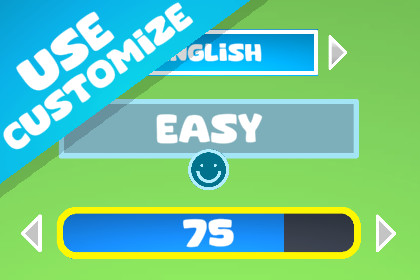
A flexible UI selector for Unity that lets players switch between options easily. Works like a native UI element with auto Canvas and EventSystem creation.The Switch Selector – NextLayer is a fully modular UI control designed for Unity developers who need an elegant way to toggle through options in menus, settings, or character customization screens.It works like Unity’s native UI components (Button, Slider, Toggle), appearing directly under the UI → Switch Selector – NextLayer menu, and can be added to your scene instantly — no manual setup required.The component supports horizontal and vertical navigation, looping behavior, activation modes, and custom visuals for arrows and option areas. It’s ideal for players to cycle through values or options using both controller or mouse input.Main Features:Plug-and-play UI element (no setup required)Looping option list navigationKeyboard, mouse, and gamepad compatibleActivation/confirmation mode supportOptional custom Left/Right/Body areasFull TextMeshPro and Image supportClean code structure with UnityEvent callbacksWorks seamlessly with the new Input System or legacy inputPerfect for:Game menus and option selectorsCharacter or weapon customizationLevel, difficulty, or skin selection interfacesDialogue choice menusThe Switch Selector follows Unity’s Selectable pattern, ensuring full compatibility with navigation, transitions, and UI styling.Category: UI / ControlsUnity Versions: 2021.3 LTS or higher (tested on 2021–2025)Render Pipelines: Built-in, URP, HDRPDependencies: TextMeshPro (optional)Input Compatibility: Supports both Input System and Legacy InputNamespace: NextLayer.UIScript File: SwitchSelector.csMenu Path: UI → Switch Selector – NextLayerFile Size: Lightweight (under 50KB)Supported Platforms:Windows / macOS / LinuxAndroid / iOSWebGLConsole (UI supported environments)Using AI to make some adjustments to the code, to make the code more professional, and to create the description for this page.

