






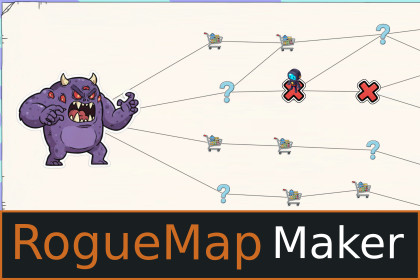
RogueMap Maker enables effortless generation of node-based 2D maps, similar to Slay The Spire or Peglin. Create professional, polished maps without writing any code!RogueMap Maker is a Unity tool for creating node-based 2D maps with ease.- Fast map reskinning with drag-and-drop simplicity- Fine-tune details with 40+ customizable settings- Public API for developers who want advanced control- Easily extend base functionality to match your creative visionWebGL DemoDocumentationSupported Unity VersionsRogueMap Maker has been tested to work in 2021.3LTS and above on Windows and OSX.RogueMap Maker has been tested to work with both Input Manager and Input System. (old & new input systems)If you encounter an issue in 2021.3LTS and above, please contact support@gamegrease.store before leaving a review and I will help you.Features-4 different rendering modes> Canvas Simple - for maps under a Canvas, drawn on a fixed size Sprite> Canvas Sliced - for maps under a Canvas, in a Scroll Rect, drawn on a 9-sliced Sprite> Sprite Simple - for maps in world space using SpriteRenderers, drawn on fixed-size Sprite> Sprite Sliced - for maps in world space using SpriteRenderers, drawn on a 9-sliced Sprite-Map Customization> Set 30+ Scriptable Object-based Map Settings including...> Set Map Background Image> Orientation, Direction, Steps, Padding, Spacing Per Step> If you need to be assured of particular settings before purchasing, look here or send me a message at support@gamegrease.store and I'll get back to you as soon as I'm able-Make a Campaign> Place X-many MapSettings into a MapPack to create your own campaign!> Includes a demo scene with a campaign already setup for you to copy-Node Customization> Set Icon> SetType (Start,Middle,End)> Set Weight (Chance of Middle types appearing)> Set Scale (Node size)> Set Uniform Size (Normalizes sprites of different pixel dimensions to visually look the same size, Sprite Mode Only)> Set Prefab Override (Allows custom setup of individual nodes, Eg. Bigger End Type node, animated nodes, etc.)> Set Hover-Over Size> Set Hover-Over Color> Set Visited Color> Set Pulse Size> Set VFX to play when clicked-Link Customization> Use a custom-made '2D Line Renderer' for Canvas modes and the built-in Line Renderer for Sprite Modes.> Set Line Type (Solid, Curved, Dashed, Curved-Dashed)> Set all your expected settings, including color, thickness, feather, curve strength, curve segments, and more-Debugging tools> Custom gizmos show you your Green Box, Red Box and Yellow Boxes, representing your Map Background Bounds, Padding-Adjusted Bounds, Nodes.> Custom gizmos show Map Background Bounds & Padding-Adjusted Bounds center points for alignment.> Run the Type Weights Previewer to simulate the chances of node of different types appearing on your map> Indexed Nodes and Links in your Hierarchy let you know exactly which Node and Link go where> Session debug data keeps tracks of Visited Nodes and Available Next Nodes> Context Menu actions to run popular code from the Inspector (Eg. Generate + Render, print out where saves are located, delete all save files, copy JSON map to clipboard, etc..)-Overlap Detection> Advanced curved line overlap detection and automatic resolution> Extend the included benchmark tool to generate & render X-many maps to analyze them for your unique test cases-Save / Load system> Seed-based save/load> Uses JSON files for PC/Mobile, PlayerPrefs for WebGL> Lightweight files save user progress as well as map settings> Autosave enabled by default, and easily save to a dedicated save slot with additional coding>Generic - swap for your own system, or steal this system for your other projects easily>Code examples available at https://game-grease.gitbook.io/roguemap-maker/save-system-code-examples-Character Controller> Use an optional 2-state animated character to traverse from node to node, with options to set [X,Y] offset and move speed-Camera Controller (Sprite mode only)> Zoom, zoom in/out in increments, clamped to set min and max amounts> Scroll, scroll up/down or left/right, depending on your map's Orientation> Optional Auto-ScrollWhy RogueMap Maker over similar assets?-Affordable Map Making with tons of extra features (generic json Save/Load working effortlessly across windows/mac/ios/android/webGL, custom 2D LineRenderer, CameraController, CharacterController, Make a Campaign...)-More flexibility with 4 rendering modes to match how you want to develop-See how an experienced unity developer has created a system you're interested in here to apply it in another project you're working on-Performant rendering, Nodes and Links are both 1 draw call each, a 15 step map takes about 1/10th of a second to appear on desktop with common and accessible hardware-Author of this asset is a game dev with over 6 years work XP-Documentation and email supportCurrent Limitations-Prefab override custom sizes are not supported in simple rendering modes. (This is already planned for a minor update)-No discord channel setup yet-No controller support yet (This is already planned for a minor update)-Whiles demo scenes have been tested to run performantly on iOS and android, demo scenes are setup for 3840x2160 and some scene editing will be required before building for iOS/android to support the devices you're targettingCodingNo coding is required to customize your own maps when using the provided demo scenes and you can find out how to do that here. This tool can be given to someone with little to no coding experience to create the visuals while a more experienced developer works on other systems or integration.The architecture is also purposefully very basic, as it is intended for beginners to easily read.Advanced customization and integration with your own systems will require scripting.SFX & Music from the trailer not included.Scene-switching buttons shown in media are not included.Art assets are provided as-is and are intended to demo map-making functionality, you will be responsible for providing your own assets and ensuring they're production ready.-Most image creation with Gemini and ImageFX-All spritesheet generation for character animations with Ludo ai-Some background removal of images with PicsArt-Some code generation with Sonnet 4, Sonnet 4.5 and GPT-5 assistants-Some documentation generation with Sonnet 4, Sonnet 4.5 and GPT-5

