






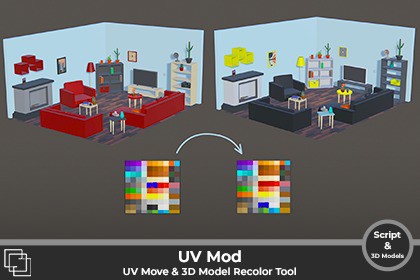
Move UVs in real time without re-exporting, recolor any 3D model, and use the included PSD template to create your own custom color schemes.UVMod lets you edit and fine-tune UVs directly in the Editor. No re-exporting, no external software, no disruption to your scene.Including 3 demo scenes, a total of 44 low poly 3D models & one customizable 1024x1024 .psd Color Palette template.Move UVs and change the color of every 3D model for single meshes or multiple objects simultaneously, all in real time.Key FeaturesIn-Scene UV Editing: Select any object with a MeshFilter and start modifying UVs in a dockable editor window. All changes are updated in real-time.Multi-Object Workflow: Work on several GameObjects at once in a shared viewport. Ideal for batch adjustments or consistent UV alignment across multiple assets.Precision Transformation Gizmo:Translate: Click and drag inside the selection to move UVsRotate: Click and drag the edges of the bounding box to rotateScale: Click and drag the corners to scale your selectionUse the gizmo for quick adjustments, or type in precise numerical values for Offset, Rotation, and Scale.Adaptive Selection Modes:Island Mode: Select and transform UV islands with a single click.Vertex Mode: Control and move individual vertices.Advanced Filtering & Tools:Multi-Texture Support: Instantly switch between materials in the preview windowVertex Color Painting: Apply vertex colors directly in the UV editorFilter by Vertex Color: Isolate and modify vertices based on their assigned colorNon-Destructive Workflow: All modifications occur on an in-memory copy of your mesh. Your original asset is always safe.Apply/Reset: Commit your changes with "Apply" or instantly revert a pending transformation with "Reset".Full Undo/Redo Support: Every action, from selection to transformation, is fully integrated with Unity's Undo system (Ctrl+Z).Flexible Saving Options:Overwrite Mesh: Permanently save your changes back to the original mesh asset.Save as New: Create a new mesh asset from your modifications and automatically assign it to the selected object(s), leaving the original untouched.PSD File:Includes 36 customizable color swatchesDouble-click any swatch in the Layers panel to preview and apply your color instantlyFlexible system designed to match any artistic directionWho is this for?Developers: Adjust assets quickly without external tools.Environment Artists: Fix UV tiling and texture alignment across props and scenes.Character Artists: Make small tweaks to character UVs without a full round-trip to an external application.VFX Artists: Easily adjust UVs for mesh-based particle effects and shaders.Technical Artists: A perfect base for building more advanced, project-specific mesh tools.Anyone who wants to work faster and stay inside Unity.Stop wasting time re-exporting. Start editing. Get UVMod and take control of your UVs directly inside Unity !No external dependenciesWorks with any meshRobust multi-object and Undo/Redo supportDockable editor window that feels right at home in Unity44 Models ;1 x - Chimney, Clock, Cushion, Fan, Lightswitch, Television, Tissuebox, TV Furniture, Vase2 x Boxes, Frames, Lamps, Wood Planks3 x Candles, Shelves, Sofas4 x Books, Side Tables6 x Plants

