






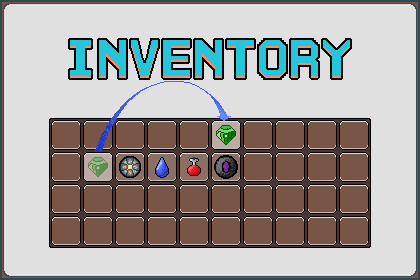
An event-driven Inventory & Equipment system for Unity 6. Features a Facade pattern architecture, auto-wiring component setup, and modular support for Chests and Merchants based on UGUI.Core System: Fully compatible with all pipelines.Demo Scene: The included demo scene is configured for URP (Universal Render Pipeline). If you are using Built-in or HDRP, the materials in the demo scene may need to be converted, but the inventory logic will work perfectly without any changes.Dependencies: No external asset store dependencies required. Uses standard TextMeshPro.This asset implements a grid-based Inventory and Equipment system using standard UGUI. It is designed with a Facade Pattern to centralize control through a single InventorySystem script, and utilizes an Event-Driven approach for UI interactions.Key Features:System Architecture:Centralized management via InventorySystem.cs.Event-based input handling (IPointerClickHandler) for optimized performance.Auto-Wiring: Automatically links Managers and UI Panels via OnValidate when the Root Canvas is assigned.Inventory & Toolbar:Supports drag-and-drop, item swapping, and stacking.Includes item sorting and inventory expansion logic.Equipment:Slot-based equipment logic with UI visualization.Quick equip/unequip functionality.Storage & Trade:Chest: Storage system with distance-based interaction.Merchant: Buying/Selling logic with cost calculation.Input Support:Left Click: Move, Swap, Stack.Right Click: Split stack, Use/Equip.Shift + Click: Quick transfer (to Chest/Merchant) and Quick Equip.Data Management:ScriptableObject-based Item Data structure.Easy creation of new items (Type, Stats, Icons, Prefabs).Included Content:Full C# Source Code.URP-configured Demo Scene with Player Controller.Basic UI Sprites and Item Icons.Prefabs for Slots and UI Panels.Unity Version: 6000.3.2f1 LTS or higher.Render Pipeline: Compatible with Built-in, URP, and HDRP. (Demo scene is configured for URP).UI System: UGUI (Unity UI).Code Structure:Namespace: Latency.Inventory (Divided into Core, Modules, Data, UI).Pattern: Facade Pattern.Data: ScriptableObject.Compatibility: Works with Legacy Input Manager.Generative AI was used to assist in code refactoring, optimization, and drafting documentation. All code logic and text were reviewed, tested, and finalized by the developer to ensure functionality and accuracy.Some UI icons and sprites in the demo scene were generated using AI tools.

