




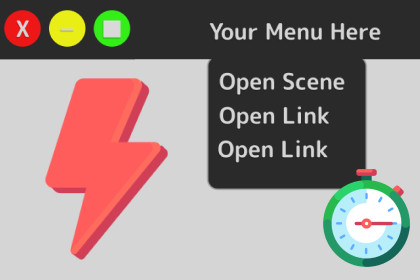
Top Menu Shortcuts - Speed Up your workflow
Harpia Games Studio
$0.0
$15.00
100%OFF
(no ratings)
Jump AssetStore
Create native Unity top-menu shortcuts to instantly open your most-used scenes, assets, prefabs, folders & web links — or trigger them with a keyboard hotkey. Speed up your workflow. Editor-only.This is an editor tool and does not interact with the rendering.Top Menu Shortcuts — Speed up your workflowStop digging through folders and the Hierarchy. Top Menu Shortcuts lets you build your own native Unity top-menu items to jump straight to the scenes, assets, and tools you use every day — in a single click or a keystroke.What you can do:Open Scenes — jump to your most-used scenes instantly.Open any Asset, Prefab, or File — send it straight to the Inspector.Select an object by name — perfect for managers, singletons, and controllers.Open a web link — one-click shortcuts to Figma, Trello, Jira, your docs, and more.Open a folder — reveal any folder in your file explorer.Search the Hierarchy — pre-fill a search term with one click.Set Time Scale — change Time.timeScale to any value on the fly while testing.Keyboard Shortcuts — assign hotkeys to any menu you create.Auto Mode — add multiple assets and scenes at once, so all your favorites live in the top menu.Multiple Menus — use Profiles to create as many separate top menus as you need.Right-click any asset in the Project window and choose Add Selected to Top Menu to add shortcuts even faster.Note: This is an Editor-only tool — it adds no runtime code and has zero impact on your builds.📖 Documentation: https://harpiagames.com/doc.php?tool=topmenushortcutsMore tools from Harpia GamesPrefab Brush — Easy object placement & level designPerfectShot — Marketing & icon capture toolQuick Animation Events — Manage animation events easilyBetter Delete — Project cleaner & references finderIcon Creator — Generate icons for your prefabsLow Poly Color Changer — Easy color variationsAI tools were used to help create the documentation, test the code, and produce marketing materials. All AI-assisted content was reviewed and edited by a human.

