






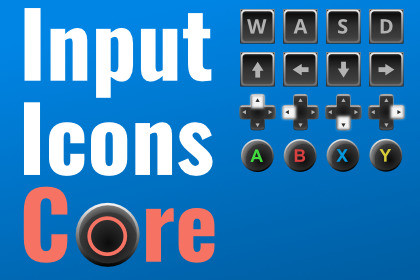
Input Icons: Core - Dynamic Prompts and Rebinding
Tobias Froihofer
$19.99
(no ratings)
Jump AssetStore
Professional input prompt system with automatic device detection and full rebinding UI. Includes 300+ sprites for all major platforms. Display prompts in SpriteRenderers, UI Images, and TextMeshPro.Requires TextMeshPro 2.1.6 or higher (free via Package Manager)Requires Input System 1.4.4 or higher (free via Package Manager)Requires 2D Sprite 1.0.0 or higher (free via Package Manager)Contact | ForumInput Icons: Production-ready input prompts without the hassleShow the right key or button automatically as players switch between keyboard, mouse, and controller. Add a complete rebinding system, built-in local multiplayer support, and 300+ essential sprites. Drop it in and skip weeks of custom input UI work.Automatic device detectionPrompts update in real time as the player switches devices. No manual checks, no boilerplate.A full rebinding system, not just iconsIncludes rebinding UI components you can use out of the box. No scripting required. Handles single bindings, composite controls (WASD, D-Pad), and sequential multi-bindings, with duplicate detection and conflict resolution built in. Player profiles persist across sessions, which matters for shared devices.Built for Local MultiplayerPer-player device management with automatic reassignment and individual control scheme tracking. Made for couch co-op.Lower-cost, per-seat friendlyCore has the same rebinding, multiplayer, and architecture as the full Bundle, with a smaller sprite set. A good fit for teams where per-seat licensing on the full version adds up.Need more sprite variety?Input Icons: Bundle includes 2100+ sprites with 10 keyboard styles and multiple controller variants.Works everywhere in your UISpriteRenderers for world-space UIUI Images for canvas-based UITextMeshPro, via inline tags or a componentUI Toolkit, via a free extension300+ sprites, built for productionHand-crafted, 256×256px, crisp at any resolutionCustom SDF font pack for sharp scaling at any sizeQWERTY, QWERTZ, and AZERTY keyboard layoutsXbox, PlayStation (PS3–PS5), Nintendo Switch, and Generic Gamepad support (one sprite set each)Mobile support for Android and iOSEverything else you'd expectAddressables integration for optimized memory and loadingClean, modular ScriptableObject architecture. Updates won't break your setupCompatible with Text Animator and other text effects toolsBring-your-own sprite support if you want a custom icon set40+ pages of documentation, plus video guidesSteam Input support includedSteam Input can sometimes cause Unity's Input System to misidentify controllers. Input Icons ships with extension support for both Steamworks.NET and Facepunch Steamworks to correctly detect and display the right icons, plus a full troubleshooting guide for common Steam controller configuration issues.Good fit forTeams needing per-seat licensing at a lower cost, developers who plan to use their own custom sprites, PC games and cross-platform PC/console titles, local co-op and split-screen games, projects with rebinding requirements, and anyone prioritizing a smaller asset footprint.Compatible With Your WorkflowFully compatible with Text Animator and other text effects toolsBuilt using clean, modular ScriptableObject architectureBring Your Own Sprites – architecture supports custom icon setsRequirementsTextMeshPro 2.1.6+ (free via Package Manager)Input System 1.4.4+ (free via Package Manager)2D Sprite Package (free via Package Manager)Tested with Unity 2020–2023 and up to Unity 6.5.Useful links:Online DocumentationContactForumKeyboard and Gamepad Sprites Vol1 and Keyboard and Gamepad Sprites Vol2 add more icons, fully compatible with this asset.UI Toolkit support: use the free Input Icons Extension for UI ToolkitRequires TextMeshPro 2.1.6 or higher (free via Package Manager)Requires Input System 1.4.4 or higher (free via Package Manager)Requires 2D Sprite 1.0.0 or higher (free via Package Manager)Some AI used for coding and brainstorming

