






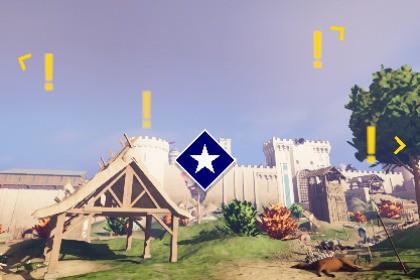
Create high-performance off-screen and compass tape indicators. Optimized for Unity 6+ (BiRP/URP/HDRP) with zero allocations.Documentation | ContactDependenciesUnity 6000.0 or newercom.unity.inputsystem 1.14.0 or newer for samplescom.unity.ugui 2.0.0 or newer for samplesTarget Indicators is a production-ready system for tracking world-space objects on your UI. Built for Unity 6, it handles the complex screen-space math for off-screen arrows, quest waypoints, and compass tapes.This system is built for performance first. It features a strict zero-allocation update loop, making it safe for tight mobile constraints and high-end PC/Console titles without eating into your frame budget.Key Features:Zero Garbage Collection: No heap allocations after initialization. Passes memory-safe buffers via ReadOnlySpan to completely avoid garbage collection overhead in hot paths.Highly Configurable: Includes multiple boundary types (Padded, Absolute, Unbounded, Compass Tape), configurable clamping shapes (Rectangle, Ellipse), and target distances.Smart "Look-At" Thresholds: Dynamically trigger UI elements, like fading distance labels when the player looks directly at a target.In-Editor Boundary Visualizers: See exactly where your UI boundaries will clamp directly in the Scene view for fast, visual iteration.Multi-Layered Boundaries: Run multiple boundary systems simultaneously. Clamp enemy indicators to an elliptical boundary, quest markers to a padded rectangle, and waypoints to a compass tape with completely independent settings.Instant Iteration: Fully supports Unity's Fast Enter Play Mode (No Domain Reload on Enter Play).Blazing Fast: Does not use Object.Find or GetComponent at runtime.Render Pipeline Agnostic: Works perfectly with URP, HDRP, and Built-in.UI Agnostic: Completely decoupled from the rendering method. Use standard Unity UI, UI Toolkit, or any third-party UI solution.XR Ready: Full support for VR/AR Head Mounted Displays.Includes:Clean, commented C# source code.Prebuilt UI prefabs and managers for drag-and-drop integration.Sample scenes demonstrating padded boundaries, compass tapes, and multi-category setups.Note: Compass Tape features provide coordinate logic; UI art assets for the compass bar are not included.Performance: Strict zero-allocation update loops. Passes memory-safe buffers via ReadOnlySpan to eliminate GC pressure.Optimization: Zero reliance on Object.Find, FindObjectsOfType, or GetComponent at runtime.Architecture: Event-driven design with completely decoupled math and rendering logic. Uses lightweight structs for all data payloads.UI Compatibility: Agnostic architecture; works natively with standard uGUI, UI Toolkit, or custom third-party UI solutions.Render Pipelines: Fully compatible with Built-in, URP, and HDRP.Platform Support: Supports traditional displays and XR Head Mounted Displays (XR).Workflow: Fully supports Unity's Fast Enter Play Mode (Domain Reloading disabled) for rapid iteration.Configuration: All settings including boundary shapes, padding sizes, "Look-At" thresholds and more are fully configurable at both edit and runtime.Starter Assets: Includes clean, minimal sample scenes and drag-and-drop prefabs to demonstrate implementation without project bloat.AI was used as a code reviewer and documentation reviser.

