






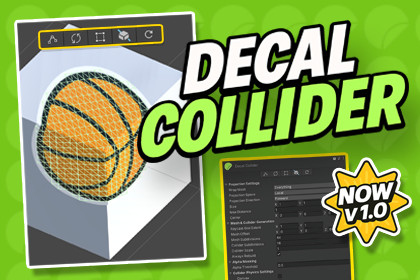
DECAL COLLIDER – Ultimate Runtime Mesh & Collision Decals
Occlusionn
$7.50
$9.99
25%OFF
Jump AssetStore
Decal Collider adds one-click projected decal mesh + physics collider generation with alpha trimming, live runtime updates, API control, and Built-in/URP/HDRP supportDecal Collider is a production-focused Unity tool for creating projected decals that include both a visual mesh and a matching physics collider, with strong support for runtime updates, Sprite/TMP workflows, and Built-in/URP/HDRP pipelines.As projects grow, decal workflows can become fragile: projection gaps, invalid collider meshes, runtime sync issues on animated content, and heavy rebuild costs.Decal Collider gives you a single, clean pipeline to keep decal visuals and physics consistent.✨ Better visual-to-physics consistency✨ Safer runtime behavior for complex meshes✨ Faster iteration (project -> tweak -> rebuild -> test)🛠️ How It WorksScans source data (Mesh, SpriteRenderer, or TextMeshPro)Projects decal geometry onto target surfaces (18+ directions)Builds procedural decal mesh + matching colliderApplies optional alpha trimming/masking to keep only visible collision areasSupports runtime/live updates with controlled rebuild frequencyOutputs detailed stats for optimization decisions🎯 Projection + Collider in One WorkflowGenerate visual decal mesh and physics collider togetherLocal/world projection control with multi-direction supportTriplanar and sphere-friendly projection options🖼️ Sprite + TextMeshPro SupportSprite swap/flip aware projectionDynamic TMP source support with automatic refresh when content changesStable source detection during mode switches🔄 Runtime Update SystemLive update interval controlsAsync rebuild API support to reduce frame spikesRuntime-safe refresh path for frequently changing decals🧬 Projection Mask LogicMasks empty regions when rays partially hit surfacesKeeps source fully visible when no hit occurs (void-safe fallback)🧯 Physics Safety LayerPhysX 5-safe mesh assignment pathInvalid/zero-volume mesh validation before collider applySafe fallback behavior to avoid collider cooking failures📊 Stats + AnalysisBefore/after mesh stats and timing dataHit ratio and projection diagnosticsInspector-side analysis for fast tuning🧩 Performance ControlsCache-friendly rebuild flowOptional culling/visibility-based update reductionsRuntime behavior tuned for larger scenes📚 API + ToolingPublic API for automation/integrationHit callback hooks for gameplay effectsEditor tooling, presets, quick actions, and example scenes📋 RequirementsUnity 2022.3 LTS or newer (recommended: Unity 6)TextMeshPro for TMP-based decal sourcesWorks in both Editor and Runtime workflows🌐 Render PipelinesBuilt-in RPURPHDRP💻 Supported PlatformsEditor: Windows / macOS / LinuxRuntime Builds: All Unity-supported platforms (PC / Mobile / Console)🌍 Support & CommunityJoin our Discord for support, tips, and update announcements.Full documentation included with a quick-start guide.If Decal Collider improves your workflow, please consider leaving a review.📦 Package ContentsDecalCollider Runtime Component (projection, procedural mesh build, matching collider generation)DecalCollider.API (runtime control, async rebuild, hit callback hooks)Inspector + Editor tooling (quick actions, projection controls, stats panel)Pipeline auto-installer modules (idle-time setup, pipeline package import)SpriteRenderer + TextMeshPro source integrationAlpha-mask trimming and projection masking systemsExample scenes/scripts for interaction and drag workflowsDocumentation (quick-start + full reference)✨ Key FeaturesOne-click decal mesh + physics collider generation18+ projection directions (local and world space)Alpha-trimmed collider area for cleaner physics contactsVoid-aware projection logic with safe no-hit fallback visibilityLive runtime updates for Sprite/TMP content changesAsync rebuild workflow to reduce frame spikesPhysX 5-safe mesh assignment and invalid mesh guard checksSilent Built-in/URP/HDRP auto-detection and package importReal-time editor stats for mesh, ray, and performance feedback📋 RequirementsUnity 2022.3 LTS or newer (recommended: Unity 6)TextMeshPro required for TMP source workflowsEditor + Runtime supported🌐 Render PipelinesBuilt-in RPURPHDRP💻 Supported PlatformsEditor: Windows / macOS / LinuxRuntime Builds: All Unity-supported platforms (PC / Mobile / Console)✅ Yes – AI AssistedDuring the creation of this package, AI tools were used for code skeleton generation, documentation drafting, and content editing stages.All code, logic, and features have been manually reviewed, tested, and optimized to comply with Unity standards.

