






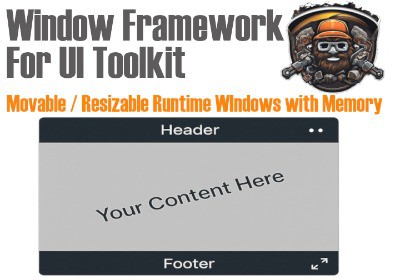
Window Framework for UI Toolkit – Runtime UI Windows with Drag, Resize, Theming, Tooltips, Context Menus, Save State, One-Line Creation, Full USS Styling & UI Builder SupportUnity Addressables v2.9.1 Support built in.Verfied to work with ALL patched Unity Versions**Verfied to work with ALL patched Unity 6 VersionsView complete Documentation or Download a compiled runtime demo from our website:https://www.garage-ware.com/window-framework-for-ui-toolkitCreate advanced runtime UI windows in Unity using UI Toolkit – with drag, resize, theming, memory, and full customization. Addressables Support built in!Window Framework for UI Toolkit is a powerful, modular windowing system that enables developers to create runtime UI windows with drag, resize, and save-state functionality — all built with Unity UI Toolkit (UITK). Whether you're building tools, RPG menus, debug interfaces, or production overlays, this framework gets you up and running quickly.Key Features:Create runtime UI windows in code, instantlyDrag-and-drop / moveable windowsResizable windows with min/max constraintsLock/unlock position and size dynamicallySave and restore window size and position across sessionsMultiple layout sections: Header, Footer, Center (Primary Content)Built-in tooltips – just assign a text value to the tooltip parameter of a VisualElementContextual menus with activators attachable to any VisualElementTheme switching – apply different USS stylesheets at runtimeFully integrated with UI Builder – use windows as custom controls or insert UXMLHighly customizable layout, position, style, and behaviorNine anchor points for initial window placementSupports fullscreen, min/max size limits, optional header/footer, and much moreIncluded Theme MangeerIncluded Window DebuggerIncluded 6 Sample ThemesUnity Addressables Support - New Feature!Use Cases:Runtime In-game UI windowsRuntime Inventory and equipment screensRuntime Debug or developer toolsRuntime editors and layout panelsCustom Runtime modding or level design toolsUI Builder based toolsBonus Features:Window persistence: Reopen windows from the last sessionTheme swapping for events, holidays, or game statesFully USS-powered styling for visual flexibilityUse WindowFrameworkController to manage themes globallyExtend WindowFrame to create reusable, callable window typesStandard Features:Draggable/Movable windowsResizable WindowsWindow Locking/Unlocking of placement and sizeMultiple content sections per windowPrimary Content (center) sectionFooter Toolbar section, (left of resize area)Highly configurable layout per windowHeader On/OffFooter On/OffMove Allow/DisallowResize Allow/DisallowLock Allow/Disallow/CurrentStatusInitial Location (9 anchor points)Initial SizeMin SizeMax sizeForce FullscreenLock FullscreenToggle FullscreenLock In Place AbilityChange theme at runtimeMemory for Location and sizeWindow size/location memory that carries over play sessionsOptionally reopen active windows from previous play sessionTooltip displays for elements, just set the display text value and the framework does the restConfigurable Contextual MenusConfigurable Context Menu activation manipulator that can be attached to any Visual ElementFully USS powered for endless styling optionsCreate feature packed windows at runtime with just one line of codeUse and place WindowFrames as custom controls in UI BuilderUse existing UI Builder documents as window contentUnity Addressables SupporBug Fixes, Documentation, Unit Testing

