






Flexible Tooltip - Hover GUI or Collider with Cursors & Popups
Tomaž Ravljen
$25.00
Jump AssetStore
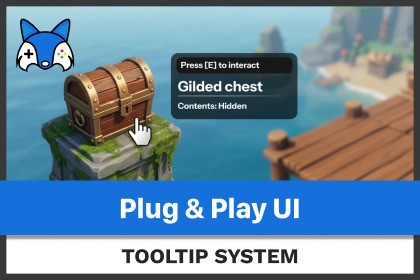
Tired of boring hints? Zero setup required! Customisable hints that show near objects in space or appear on canvas, use any component to bring your game hits or guided tutorials to life!📄 Official DocumentationFlexible Tooltip is a powerful, customizable solution for displaying contextual UI elements and dynamic cursor states across any Unity project. Whether you're building inventory UIs, strategy games, interactive tutorials, or gamepad-driven experiences, this system gives you complete control over tooltip behavior, cursor appearances, and positioning — all while staying cleanly decoupled from your game logic.✨ Key Features:No coding is required for built-in functionality and use of provided prefabs!🆕 Contextual Hover Cursor Module (New!)Dynamic Swapping: Automatically swap the cursor based on what the player is pointing at, supporting both 3D world colliders (via raycasts) and UI elements (via HoverObject focus).Hardware & Virtual Pointers: Out-of-the-box support for native OS hardware cursors (Cursor.SetCursor) and Canvas-driven virtual on-screen cursors. Perfect for mouse, keyboard, or gamepads!Per-Object Overrides: Drop a Cursor Hover Override component onto any interactable to instantly assign a custom pointer style.Visual Asset Workflows: Dedicated ScriptableObject appearance assets featuring interactive hotspot previews directly inside the Unity Inspector.Runtime Resizing: Built-in options to dynamically upscale or downscale cursors at runtime.🧩 Modular & Extensible ArchitectureUse or extend the core ATooltipUI and ATooltipInformation classes to support any tooltip content: text, sprites, dynamic values, and more.Refresh open tooltip content on the fly while it's visible using UpdateIfShowing().Plug in custom cursor position providers to support mouse, gamepad, or touch.Easily assign different tooltip styles or prefabs for different objects or contexts.🖱️ Smart Display BehaviorFollow cursor, stick to static positions, or require cursor to be stationary before showing.Supports both global delay and per-tooltip delays for fine-tuned UX.Tooltips continue to work while time is paused.Use the included Cursor-None texture asset to cleanly hide the OS cursor while keeping backend hover detection functional.🎯 Positioning & Overflow HandlingAutomatically flip alignment when a tooltip would overflow the screen.Configure horizontal and vertical alignment, offsets, and screen clamping.Optional padding and distance settings keep tooltips clean and readable.🎨 Visual CustomizationFully compatible with TextMeshPro and Unity UI (Required for provided Presets).Use Unity’s layout groups or animate with your own transitions.Animate tooltips with smooth movement or snapping using customizable animation controllers.📦 Built for FlexibilityWorks with all: Screen Space (Overlay or Camera) and World Space canvases.Fully compatible with both the Legacy Input Manager and the New Input System package.All tooltip and cursor components are extensible and source-based. No black boxes.Can show one or more tooltips, even within a tooltip.🛠 Ideal ForInventory systems and item hoversContext-aware mouse pointer configurationsStrategy and simulation gamesGamepad-driven virtual controller setupsTutorial systems with dynamic promptsIn-game UI overlays with contextual infoDeveloper tools or debug visualizations💼 What's IncludedFull C# source code – clean, extensible, no DLLsReady-to-Use Prefabs: Drop the Hardware Cursor Manager or Virtual Cursor Manager straight into your scene.Multiple Demo Scenes: Pre-configured scenes for Hardware cursors, New Input System layouts, and Virtual controller setups.Customizable base components for tooltips, data, animation, and layoutAdvanced Editor inspectors with multi-object editing and raycast detection guidance.Support for pooled and dynamically instantiated tooltip objects.If Tooltips helped your project, please consider leaving a review!Leave a Rating! ⭐⭐⭐⭐⭐📭 Support Ready: Have a question or need help? Reach out via Email or Discord.

