






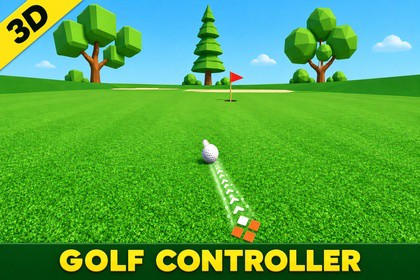
Drag-to-shoot 3D golf ball controller with realistic surface physics, orbiting camera, and VFX aim feedback.3D Golf Ball ControllerA complete, drag-to-shoot 3D / mini-golf ball controller built for Unity's Universal Render Pipeline. Click the ball, drag back like a slingshot to set direction and power, and release to fire — with a smooth orbiting camera, realistic per-surface physics, and polished VFX/UI feedback throughout every shot.KEY FEATURESDrag-and-Shoot Controls — intuitive slingshot-style aiming with live power feedbackShort / Medium / Long Power Tiers — shown live with a color-graded power bar (green → amber → red)Orbiting Camera — smoothly follows and rotates around the ball, with edge-boosted rotation near view limitsRealistic Surface Physics — Ground, Sand, Ice, Air, and Slope each have their own bounce, friction, and roll behaviorAnimated VFX Aim Feedback — VFX Graph arrows, chevron indicators, and a finger-pointer marker, all synced to one shared aim directionSurface Particle Effects — impact and rolling particles per surface (grass dust, sand burst, ice spray, water splash)Backend-Agnostic Input — works out of the box with the Legacy Input Manager, the new Input System, or Both — zero extra setupData-Driven Visual Config — a single config asset drives colors, sizes, and materials across every UI/VFX element at onceOne-Prefab Setup — the entire reusable controller (ball, camera rig, aiming logic, UI, VFX) drops into any scene as a single prefabLive Distance-to-Hole Readout, hit counter, and shot power display includedREQUIREMENTSUnity 6000 or newerUniversal Render Pipeline (URP)Visual Effect Graph package (installs free via Package Manager; Shader Graph comes automatically with URP)GETTING STARTEDOpen the included demo scene and press Play to try it immediately, or drag the included prefab into your own scene — tag your ground meshes and you're ready to go. Full setup guide and script reference included.SUPPORTQuestions or issues? Reach out at dev@gravikgames.com — we're here to helpScripts: 18 C# scripts (namespace GolfBallController)Scenes: 1 demo scene included (Demo.unity)Render Pipeline: Universal Render Pipeline (URP)Shaders: 7 custom shaders + 2 Shader Graphs (animated arrow flow, always-on-top ball outline, toon shading, aim line rendering)VFX: 1 Visual Effect Graph (animated aiming arrows)Meshes: 2 custom FBX models (ball + demo course environment)Physics Materials: 4 runtime-tunable surface materials (Ground, Sand, Ice, Ball)Prefabs: 8, including a single all-in-one drag-in controller prefab (ball, camera rig, aiming logic, UI, and VFX pre-wired)Textures: 23 PNG textures, ranging from small UI icons (120×120) up to high-res source art (up to 4096×4096)Post Processing: Not included by default — add your own Volume to match your project's look

